Dropzone Field For Elementor Form 1.4.0
Description
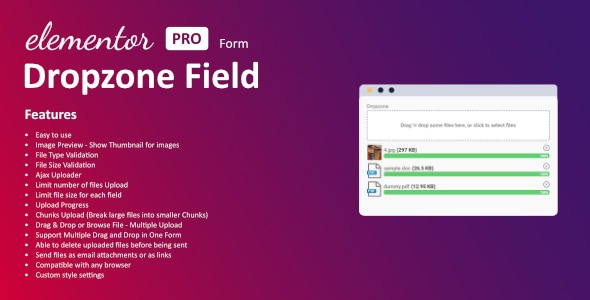
Dropzone Field For Elementor Form adds a multi-file upload field to Elementor Forms, bringing a familiar drag-and-drop workflow to your WordPress site. It solves the common problem of collecting attachments during form submissions by letting visitors upload multiple files quickly and clearly. Users can drop files directly onto the form area or use the standard browse option. The result is a more responsive, user-friendly submission experience that reduces back-and-forth and manual steps.
Built for seamless WordPress integration with Elementor, this plugin helps you turn everyday forms into practical upload tools for documents, images, and other attachments. With an interface designed for clarity and reliability, it streamlines file collection while keeping your form layout clean.
Main Features
- Dropzone-style upload field — Adds a drag-and-drop area to Elementor Form layouts.
- Multi-file uploads — Enables visitors to attach more than one file in a single submission.
- Drag-and-drop interaction — Supports quick file placement using a direct drop gesture.
- Browse files option — Provides a familiar file picker for users who prefer browsing.
- Clean, responsive UI — Keeps the upload experience readable and consistent across devices.
- Seamless Elementor Forms workflow — Designed to work alongside Elementor’s form structure and fields.
- Time-saving submissions — Reduces the effort required to gather attachments from multiple users.
Benefits
- Faster uploads — Drag-and-drop plus multi-file support cuts down time spent attaching documents.
- Better UX — A clear, responsive upload area makes submissions easier for different device users.
- More complete entries — Supporting multiple files helps visitors provide all needed attachments at once.
- Smoother process — Integrates with Elementor Forms to keep your workflow consistent and organized.
- Reliable file collection — Keeps the upload step dependable, reducing abandoned or incomplete submissions.
Who is it suitable for?
- WooCommerce stores that collect order-related documents via Elementor forms.
- Freelancers and agencies managing client onboarding or intake submissions.
- Content creators collecting media, images, or supporting files for projects.
- Websites running quote requests, proposals, or contact forms with attachments.
- Online schools and training sites collecting assignments through form uploads.
- WordPress site owners using Elementor who want multi-file submissions.