Droppy – Online file sharing 2.5.9
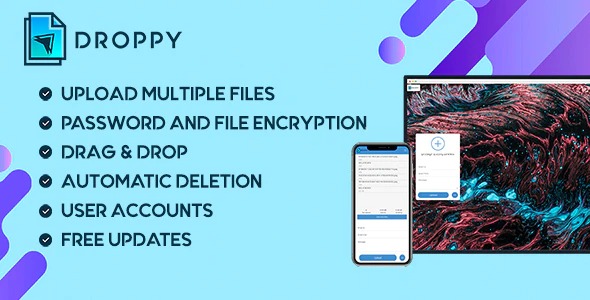
Droppy - Online file sharing helps you securely share multiple files with friends, family, and colleagues via email or a shareable URL. This self-hosted solution keeps your data in your control and streamlines collaboration with fast, effortless transfers. Type: WordPress plugin, it offers smooth integration, ease of use, and flexible sharing—perfect to explore now.
Description
Droppy - Online file sharing is a self-hosted solution for transferring and sharing multiple files securely from your own WordPress site. Instead of relying on third-party uploaders, it helps you keep your data in your control while still making sharing simple for friends, family, and colleagues.
With Droppy, you can send files by email or generate a shareable URL for recipients to access. As a WordPress plugin built in PHP, it integrates smoothly with your existing WordPress setup, supporting fast, effortless transfers for everyday collaboration.
Main Features
- Self-hosted file sharing — Run the platform on your own infrastructure for greater control over your data.
- Multiple file transfers — Share several files in a single transfer instead of sending them one by one.
- Email-based sharing — Send files to recipients via email for a familiar workflow.
- Shareable URL access — Provide a link that can be opened by anyone you choose.
- Flexible recipient options — Distribute files to individuals through email or more broadly using a URL.
- Secure sharing approach — Share files with the focus on keeping transfers straightforward and protected.
- WordPress plugin integration — Add file sharing capabilities to your WordPress site using a PHPWordpress plugin.
- Fast, effortless transfers — Streamline collaboration with quick sharing for common day-to-day needs.
Benefits
- Greater data control — Self-hosting reduces reliance on external platforms handling your files.
- Less sending friction — Share multiple files at once for quicker back-and-forth communication.
- Convenient sharing options — Email and URL delivery fit different recipient preferences and workflows.
- Improved collaboration — Recipients can access shared content with minimal steps, supporting smoother teamwork.
- Better user experience — A simple sharing flow helps maintain clarity and reduces confusion during transfers.
Who is it suitable for?
- Small business and team collaboration on WordPress sites.
- WooCommerce store owners sharing product images or documents internally.
- Web agencies needing an easy way to exchange assets with clients.
- Content creators sending large files to collaborators.
- Online communities and groups coordinating shared resources.
- Family and personal users who prefer self-hosted file sharing.