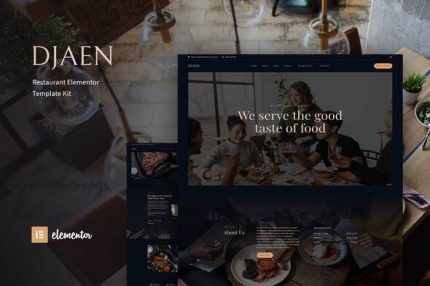
Djaen – Restaurant Elementor Template Kit
| Cetegory: | Food & Drink |
|---|---|
| Full Preview: | Djaen |
| More Info: | Themeforest |
| HOW TO INSTALL |
Description
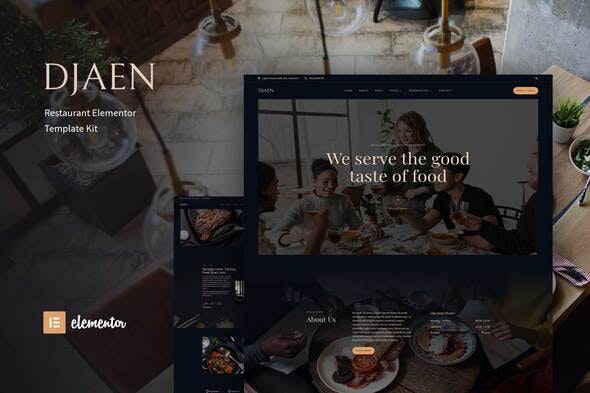
Djaen is a pre-design template kit for restaurant website, has modern and professional designs, make your potential customers interested in your restaurant, this template is built with Elementor free version, easy to use and customizable.
Features
- 13 page design
- Drag and Drop page builder
- Build with Elementor Free (Elementor Pro is not required)
- Using Free Plugin
- Easy & Fully Customizable
Templates include
- Home
- About
- Menu
- Our Chefs 1
- Our Chefs 2
- Gallery
- Events
- 404 Error page
- FAQ
- Coming soon
- Reservation 1
- Reservation 2
- Contact
- Header
- Footer
- MetForm Reservation 1
- MetForm Reservation 2
- MetForm Contact
- Global Theme Style
Required Plugin:
- Elementor
- ElementsKit Lite
- MetForm
- Elementor Header, Footer & Blocks
- Happy Elementor Addons
- Sticky Header Effects for Elementor
How to Install:
- Install and Activate the Envato Elements plugin from Plugins > Add New in WordPress
- Do not unzip
- Go to Elements > Installed Kits and click the Upload Template Kit button.
- Before importing a template, ensure the Install Requirements button is clicked to activate required plugins
- For best results, do not import more than one template at a time.
Import MetForm Custom Form :
- Import metform template
- Import the template where the form appears (Reservation & Contact), then edit in Elementor. -Click the Metform widget in the column where the form should be and click Edit Form .
- Select New, leave blank selected then click Edit Form button.
- Click Add Template grey folder button .
- Click My Templates tab.
- Choose your imported metform template, then click Insert.
- Once the template is loaded, click Update.
Image :
This Template Kit uses demo images from Envato Elements. You will need to license these images from Envato Elements to use them on your website, or you can substitute them with your own.- https://elements.envato.com/image-F3Q6E3D
- https://elements.envato.com/image-D7H96SS
- https://elements.envato.com/image-U9Z8YSJ
- https://elements.envato.com/image-LXPTKJ2
- https://elements.envato.com/image-KR6QAY2
- https://elements.envato.com/image-37UAXV4
- https://elements.envato.com/image-TU3ZAJ9
- https://elements.envato.com/image-LEA6Y4A
- https://elements.envato.com/image-NUA6DQZ
- https://elements.envato.com/image-PYMHZ63
- https://elements.envato.com/image-PAEMZXB
- https://elements.envato.com/image-VQ6YHGM
- https://elements.envato.com/image-P84SUMX
- https://elements.envato.com/image-KRV2KA7
- https://elements.envato.com/image-PCFN78L
- https://elements.envato.com/image-PEBLV2D
- https://elements.envato.com/image-LFTSC5P
- https://elements.envato.com/image-TH2MABV
- https://elements.envato.com/image-QPNFBE4
- https://elements.envato.com/image-7K3XYSP
- https://elements.envato.com/image-58DFKC7
- https://elements.envato.com/hamira-signature-font-logotype-brush-DPUQKUQ
- https://elements.envato.com/image-P4D5KX4
- https://elements.envato.com/image-HFQGVVY
- https://elements.envato.com/image-8EHMQVZ
- https://elements.envato.com/image-PLWA77H
- https://elements.envato.com/image-APMXBQW
- https://elements.envato.com/image-T6PKQ9V
- https://elements.envato.com/image-BMEASJV
- https://elements.envato.com/image-5DU7A3P
- https://elements.envato.com/image-PBRZYAX
- https://elements.envato.com/image-YRP7C9U
- https://elements.envato.com/image-T2Q35X6