Divi Restro Menu 2.0.1
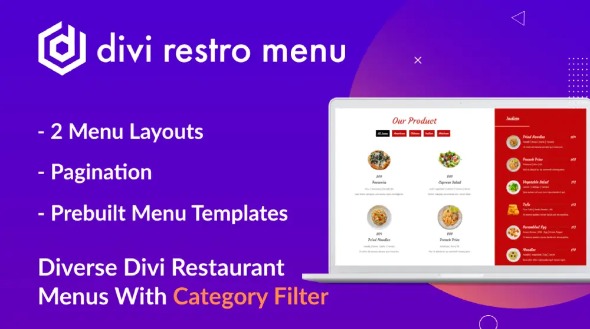
Create a polished restaurant menu quickly with the Divi Restro Menu, a WordPress Divi Builder template kit designed for food and hospitality businesses. Showcase your dishes with clear categories and attractive styling, customize fonts and colors to match your brand, and keep the layout responsive for mobile visitors. Perfect for faster updates and consistent presentation.
Description
Divi Restro Menu is a ready-to-use menu layout for WordPress sites built with the Divi Theme and the Divi Builder. It helps you present dishes in a clear, restaurant-style format without starting from scratch. If you’re setting up a restaurant, café, or food brand, this template keeps your menu organized and visually consistent across devices. It’s especially useful when you want a polished page that matches your site’s typography, spacing, and overall design system.
Main Features
- Restaurant menu layout — Pre-structured sections for displaying food items in a clean format.
- Divi-friendly editing — Designed to be customized using Divi Builder controls and settings.
- Responsive design — Keeps the menu readable and well-spaced on mobile, tablet, and desktop.
- Customizable dish details — Edit titles, descriptions, and supporting text to match your offerings.
- Category-friendly presentation — Supports a structured way to group menu items for easier scanning.
- Typography and spacing styling — Preset styles you can refine for headings, body text, and layout rhythm.
- Image and media support — Helps you add dish visuals for a more appetizing first impression.
- Consistent visual hierarchy — Guides visitors from section titles to item details without clutter.
Benefits
- Better menu UX — Clear organization improves browsing and reduces friction for visitors.
- Faster page creation — Start from a finished Divi menu structure instead of building from blank sections.
- Higher engagement — A consistent layout with strong hierarchy encourages users to explore more items.
- Design consistency — Typography and spacing settings help the menu match the rest of your WordPress site.
- Improved mobile readability — Responsive spacing keeps dishes easy to read on smaller screens.
Who is it suitable for?
- Restaurants and cafés building a Divi-based WordPress site
- Food businesses updating their online menu pages
- Freelancers and agencies creating restaurant templates with Divi
- Local brands that want a professional menu section without complex setup
- Content managers who need an easy-to-edit menu layout in Divi Builder