Divi Popup Builder 2.1.0
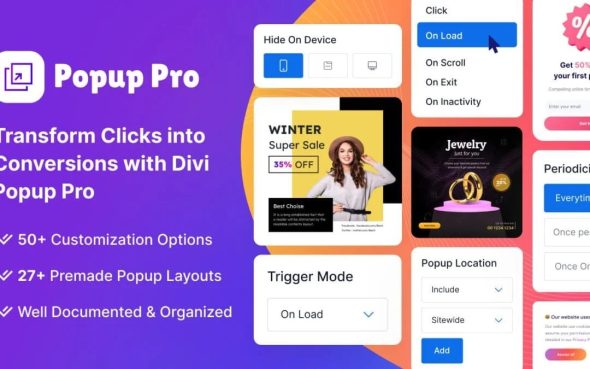
Divi Popup Builder lets you craft stunning popups effortlessly for WordPress. Boost conversions with highly customizable, mobile-friendly popups that grab attention and drive actions. Enjoy a smooth drag-and-drop experience, plus cloud-powered storage to access your files from anywhere.
Description
Divi Popup Builder is a WordPress plugin designed to help you create attention-grabbing popups quickly and confidently. It solves the challenge of building popups that look great, stay readable, and perform well on different devices. With a drag-and-drop workflow, you can assemble popup content without needing to write code or wrestle with complex settings. The result is a smoother way to support conversion-focused pages and campaigns directly inside your WordPress site.
For workflows that span devices, it also uses cloud-powered storage, so your popup files are accessible from anywhere with an internet connection. That makes it easier to continue building, revising, and reusing your popup designs across your projects and team routines.
Main Features
- Drag-and-drop builder — Build popup layouts using an intuitive visual interface.
- Highly customizable design — Adjust popup appearance to match your branding and page layout.
- Mobile-friendly popups — Ensure popups remain usable and attractive on smaller screens.
- Conversion-focused layouts — Structure popups to encourage users to take the next step.
- Quick popup creation — Create new popups efficiently instead of starting from scratch each time.
- Cloud-powered storage — Save and access popup files using the internet.
- Anywhere accessibility — Continue working on your popup assets from different locations or devices.
- Reusable popup assets — Keep your popup designs ready for future campaign updates.
Benefits
- Higher conversions — Better-structured popups help drive actions from interested visitors.
- Improved mobile UX — Mobile-friendly design supports readability and reduces friction on phones.
- Faster production — Drag-and-drop editing speeds up how quickly you can launch new popups.
- More consistent branding — Custom styling makes it easier to keep popups aligned with your site’s look.
- Workflow flexibility — Cloud storage enables access and updates from anywhere, supporting modern team routines.
Who is it suitable for?
- WooCommerce store owners running promo and offer campaigns
- Marketers creating landing page popups for lead capture
- Content creators managing newsletter and subscription prompts
- Agencies building popup variations for multiple client sites
- Small business owners updating WordPress pages on a regular schedule
- Teams that edit content from multiple devices or locations