Divi Hotspot 2.0
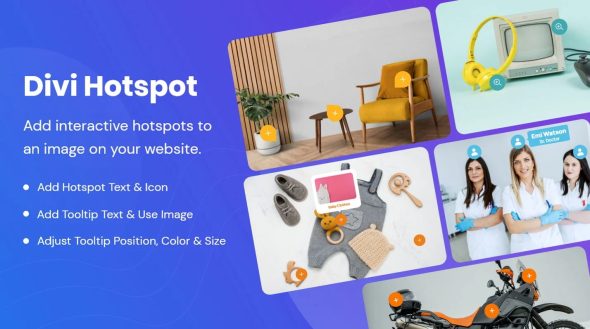
Divi Hotspot adds clickable hotspots to images, turning static visuals into interactive guides with tooltip-driven details, Type: WordPress image hotspot plugin. This boosts engagement and conversions by presenting product info, maps, or floor plans exactly where users look. Easy setup, seamless integration, and a polished design make it the perfect choice.
Description
Divi Hotspot is a WordPress image hotspot plugin that turns static visuals into interactive, clickable guides. By adding hotspot points directly on images, you can display tooltip-driven details exactly where visitors are looking. This solves the common issue of explaining features, locations, or steps using text that’s detached from the image itself.
Ideal for product showcases, visual instructions, maps, and floor plans, Divi Hotspot helps communicate information more clearly inside your existing Divi-based layouts. The result is a more engaging browsing experience that can support stronger content understanding and conversions.
Main Features
- Clickable image hotspots — Place interactive points on top of images to guide attention.
- Tooltip-driven details — Show supporting information in tooltips when users interact with hotspots.
- Interactive visual guidance — Turn static product images or diagrams into step-by-step explanations.
- Use for maps and floor plans — Highlight locations or sections directly on visual layouts.
- Easy hotspot setup — Add hotspots without needing complex markup or custom coding.
- Seamless integration in WordPress — Use the plugin inside your WordPress site workflow to enhance visuals.
- Polished presentation — Keep hotspot styling clean so tooltips and markers match your page design.
Benefits
- Better engagement — Interactive hotspots encourage users to explore instead of scrolling past static images.
- Clearer product info — Tooltips place explanations exactly on the relevant part of the image.
- Improved UX — Visitors get answers in context, reducing confusion and back-and-forth reading.
- Higher conversions — When key details are easy to find, shoppers are more likely to take action.
- Faster content updates — Adjust hotspot details without redesigning the entire page layout.
Who is it suitable for?
- WooCommerce stores showcasing product diagrams or feature images.
- Divi users creating interactive landing pages and marketing visuals.
- Agencies producing client websites with enhanced image storytelling.
- Real estate teams explaining floor plans and neighborhood info.
- Course creators and tutors adding visual step guides for lessons.