Divi Content Toggle 2.0.1
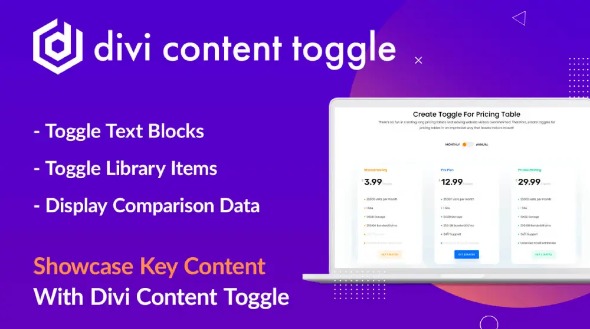
Divi Content Toggle lets you display essential content concisely with a Divi switch, ideal for pricing tables, menus, plans, and feature comparisons in Wordpress. It keeps pages clean while revealing details on demand, delivering a smoother user experience and better engagement. Easy to use with seamless design integration and flexible toggle options—explore it today.
Description
Divi Content Toggle is a WordPress plugin that helps you present essential information in a concise, interactive way using a Divi switch. Instead of displaying long sections all at once, it lets visitors reveal details on demand.
This is especially useful for layouts where clarity and flow matter, such as pricing tables, restaurant menus, travel plans, and product feature comparisons. By keeping pages cleaner and easier to scan, it supports a smoother browsing experience in Divi-based sites built with tools like Elementor-style page workflows and common Divi templates.
With flexible toggle options and design integration, you can structure content so key points remain visible while secondary details stay tucked away until the user needs them.
Main Features
- Divi switch content reveal — Display condensed content that expands into full details when toggled.
- Concise page layouts — Helps reduce long blocks of text so visitors can scan faster.
- Pricing table support — Toggle plan details to keep comparisons readable.
- Menu and plan formatting — Works well for restaurant menus, travel plans, and structured offers.
- Feature comparison tables — Organize competing attributes so users can open only what matters.
- Before-after content switching — Use toggles to present contrasting information such as before/after images.
- Design-friendly integration — Matches the look and feel of Divi-based pages for consistent styling.
- Flexible toggle options — Adjust how content sections are grouped and revealed for different layout needs.
Benefits
- Improved user experience — Visitors find key information quicker with less on-screen clutter.
- Better engagement — Interactive reveal encourages users to explore details instead of leaving.
- Higher conversion clarity — Clear plan and feature presentation helps users compare and decide.
- More readable pages — Breaks up lengthy content while keeping the page structure consistent.
- Smarter content organization — Supports use cases like menus and comparisons without redesigning the entire page.
Who is it suitable for?
- WooCommerce stores that want cleaner product and plan comparisons.
- Marketing agencies building Divi-based landing pages and content sections.
- Restaurant and café websites needing organized menu displays.
- Travel and booking sites presenting itineraries and package details.
- Blogs and content sites that publish dense FAQs or long feature lists.
- Service businesses offering tiered plans, pricing, and membership options.