Divi Content Toggle 1.0.0
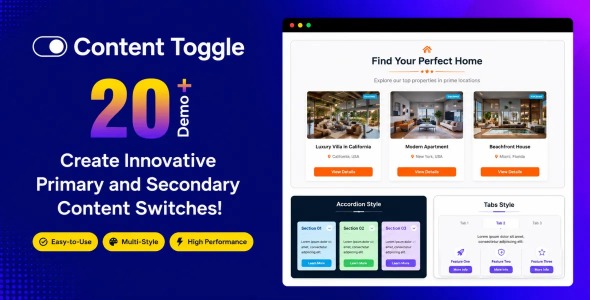
Divi Content Toggle is a WordPress plugin/module for Divi that lets you reveal and hide sections with one click. Use it to streamline long pages, create scannable FAQs, and keep visitors focused on key information. Works with Divi’s visual builder, supporting faster updates without custom coding.
Description
Divi Content Toggle is a Divi Builder-ready content element that lets you present information in expandable sections. It solves the problem of long pages by organizing text, links, and announcements into a clean, user-friendly toggle layout. Instead of forcing visitors to scroll through everything at once, users can open only the sections they need. Built for the WordPress Divi Theme ecosystem, it helps you keep layouts structured while improving readability and engagement.
Whether you’re building a landing page, FAQ area, or structured service content, the content toggle approach supports clearer information hierarchy and a more focused browsing experience.
Main Features
- Expandable/Collapsible Sections — Reveal and hide content panels to reduce on-page clutter.
- Customizable Toggle Titles — Set clear headings for each expandable item.
- Multiple Toggle Items — Group several questions, steps, or highlights within one component.
- Styling Controls — Adjust typography, spacing, and visual presentation to match your Divi design.
- Responsive Layout — Maintains usability on mobile, tablet, and desktop screens.
- Clean Content Structuring — Supports links, short explanations, and formatted text inside each panel.
- Works in Divi Layouts — Integrates smoothly into pages and sections created with the Divi Builder.
- User-Friendly Interaction — Improves scanning by making the next action obvious.
Benefits
- Better UX — Users find answers faster without overwhelming blocks of text.
- Improved Engagement — Expand/collapse behavior encourages interaction and reduces drop-off.
- Higher Clarity — Headings and grouped content create a stronger information hierarchy.
- Faster Page Scanning — Visitors can jump to the section they care about most.
- Design Consistency — Styling controls help the toggles match the rest of your Divi site.
Who is it suitable for?
- Websites built with the Divi Theme and Divi Builder
- Agencies creating marketing pages for multiple clients
- FAQ pages, help centers, and knowledge base sections
- Service and landing page creators who need organized content
- WooCommerce store owners using Divi for product or policy pages