Divi Brand and Super Admin 1.2

Divi Brand and Super Admin is a WordPress plugin that lets you replace the Divi branding and tailor the backend. Customize dashboards, hide Super Admin from other users, and replace logos and footers for a branded, distraction-free admin. Great for designers seeking seamless branding, integration, and full control.
Description
Divi Brand and Super Admin is a WordPress plugin built for the Divi Theme and the WordPress admin area. It helps designers and agencies replace default Divi branding with a client-ready look, while tailoring the back end to feel branded and focused.
It also provides control over who can see key admin elements—such as the Super Admin tab—so client sites stay clean and distraction-free. From dashboard panel customization to logo and footer changes, this plugin supports a bespoke admin experience that aligns with your theme and brand choices.
Main Features
- Change Divi name on backend — Replace the Divi label shown in the WordPress admin with your own.
- Swap Divi icon with Font Awesome — Use any of the 1,500+ free Font Awesome icons for the admin icon.
- Match WordPress black default style — Adjust the WordPress admin styling so it aligns with the Divi look.
- Hide Super Admin tab — Prevent non-target users from seeing the Super Admin tab.
- Hide the plugin from other users — Conceal the plugin visibility for users who shouldn’t access it.
- Hide Super Admin user — Ensure the Super Admin user is not shown to other users.
- Turn off Divi menu options — Disable Divi-related menu options for other user roles.
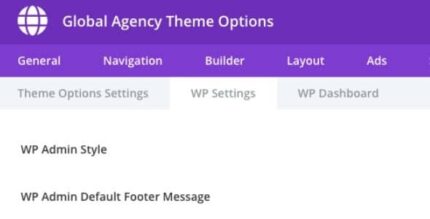
- Hide and replace admin footer message — Remove the WordPress admin footer message and create a custom footer text.
- Customize client admin interface — Remove the WordPress logo/submenu, and manage dashboard panels with your own messages or product promos.
Benefits
- Stronger client branding — Replace Divi labels, icons, and admin styling for a consistent, branded backend.
- Cleaner admin UX — Hide logos, submenu items, and footer notices to reduce distractions for end users.
- Controlled access — Hide Super Admin elements and restrict Divi menu options to limit visibility for other users.
- More relevant dashboards — Remove default panels and add your own panels to communicate updates or new offers.
- Better maintainability — Centralize backend customization for client sites without manual theme/admin edits.
Who is it suitable for?
- Web designers building Divi-based client websites
- Agencies managing multiple WordPress and Divi admin experiences
- Teams that need role-based visibility control for Super Admin elements
- Developers customizing WordPress dashboards with branded panels
- Content teams running client sites who want a distraction-free admin