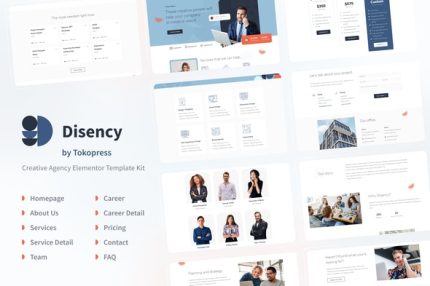
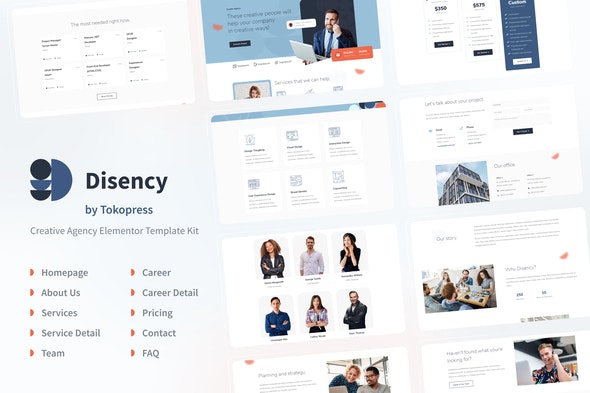
Disency – Agency Elementor Template Kit
| Cetegory: | Travel & Accomodation |
|---|---|
| Full Preview: | Disency |
| More Info: | Themeforest |
| HOW TO INSTALL |
Description
*This kit requires Elementor Pro
DEMO PAGES
- Homepage
https://templatekit.tokopress.com/disency/ - About Us Page
https://templatekit.tokopress.com/disency/disency-about-us/ - Service Page
https://templatekit.tokopress.com/disency/disency-service-page/ - Service Detail Page
https://templatekit.tokopress.com/disency/disency-service-detail/ - Career Page
https://templatekit.tokopress.com/disency/disency-career-page/ - Career Detail Page
https://templatekit.tokopress.com/disency/disency-career-detail/ - Pricing Page
https://templatekit.tokopress.com/disency/disency-pricing/ - Team Page
https://templatekit.tokopress.com/disency/disency-team/ - FAQ Page
https://templatekit.tokopress.com/disency/disency-faq/ - Contact Page
https://templatekit.tokopress.com/disency/disency-contact-us/
ELEMENTOR PRO THEME BUILDER
- 1 Header Template For Theme Builder
- 1 Footer Template For Theme Builder
MORE ELEMENTOR PRO TEMPLATES IS ON PROGRESS
How to Import Template Kit
- Install the plugin from Plugins > Add New by searching for Envato Elements
- If you must use FTP to install plugins, you can download it from https://wordpress.org/plugins/envato-elements/
- Once the plugin is activated, go to Elements > Installed Kits
- Click on Upload Template Kit ZIP file to browse to your zip file and import.
- Once imported the templates will appear
- An orange banner will appear at the top of this screen. Click Install Requirements for details.
- A popup will appear listing the plugins your kit needs installed or activated. Click Install Requirements to proceed.
- Now you may begin importing your templates by clicking the Import Template button on the desired template.
- Avoid clicking too many at once. Your browser can typically only handle up to 3-4 at a time.
for more information please read the official documentation from envato: https://help.market.envato.com/hc/en-us/articles/360038112932-How-to-use-the-Template-Kit-Import-plugin-from-Envato
This Template Kit uses demo images from Envato Elements. You will need to license these images from Envato Elements to use them on your website, or you can substitute them with your own.
- https://elements.envato.com/creative-people-PLXASGE
- https://elements.envato.com/customer-service-bright-icons-39ED8L
- https://elements.envato.com/creative-young-people-in-meeting-CLRU5ME
- https://elements.envato.com/waist-up-studio-shot-of-happy-young-woman-with-fol-MBE8RXW
- https://elements.envato.com/portrait-of-young-handsome-man-smiling-in-park-4EESU4V
- https://elements.envato.com/smiling-fashion-hipster-woman-studio-shot-PUJVV8E
- https://elements.envato.com/discussing-website-project-MZ5JY4X
- https://elements.envato.com/working-on-a-computer-T3RKWXA
- https://elements.envato.com/bebold-essentials-ui-icon-pack-VZFG6CG
- https://elements.envato.com/group-of-creative-people-working-together-TPXCBRR
- https://elements.envato.com/launch-target-goals-rocketship-graphic-concept-P758W4P
- https://elements.envato.com/graphic-designers-working-in-team-9WKZ9ES
- https://elements.envato.com/job-interview-with-potential-employee-KLRJWEQ
- https://elements.envato.com/the-portrait-of-happy-and-beatifull-female-artist--JBS8UJG
- https://elements.envato.com/people-at-business-presentation-AHP7ZBQ
- https://elements.envato.com/discussing-documents-JLSDF76
- https://elements.envato.com/modern-office-building-PBR2LJK
- https://elements.envato.com/graphic-designers-using-graphics-tablet-R3K9PYJ
- https://elements.envato.com/overhead-view-of-two-women-having-creative-design--N49D62G
- https://elements.envato.com/creative-people-meeting-at-office-and-use-post-it--ZVXY4GF
- https://elements.envato.com/front-view-of-happy-caucasian-male-customer-servic-6CPVXSU
- https://elements.envato.com/manager-at-work-PNGQS28
- https://elements.envato.com/happy-smiling-woman-freelancer-writes-notes-in-a-d-PN2XHXL
- https://elements.envato.com/65-marketing-agency-icons-advertising-icons-DEAQ25S
- https://elements.envato.com/creative-people-meeting-at-office-and-use-post-it--ZVXY4GF
- https://elements.envato.com/website-development-layout-sketch-drawing-49WBEMU
- https://elements.envato.com/graphic-designers-using-graphics-tablet-R3K9PYJ
- https://elements.envato.com/upholstered-chair-in-empty-interior-PRUQNZE
- https://elements.envato.com/laptop-phone-and-other-office-stuff-on-table-PQUE9DX
- https://elements.envato.com/tubes-with-cosmetics-on-a-white-background-5S2QQES
- https://elements.envato.com/bio-design-of-plastic-bottles-packaging-of-laundry-FR4X5QK
- https://elements.envato.com/businessman-in-the-city-V85RNLH
- https://elements.envato.com/happy-smiling-woman-freelancer-writes-notes-in-a-d-PN2XHXL
- https://elements.envato.com/creative-people-coworking-on-a-new-project-in-offi-P839ZFU
- https://elements.envato.com/overhead-view-of-two-women-having-creative-design--N49D62G
- https://elements.envato.com/studio-shot-of-young-handsome-man-with-arms-crosse-ZGYJJRX
- https://elements.envato.com/smiling-with-teeths-young-woman-PMXPSS5
- https://elements.envato.com/cheerful-man-with-crossed-arms-studio-shot-PWP9QME