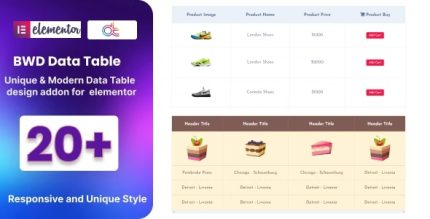
Data Table 1.6 – Addon for Elementor
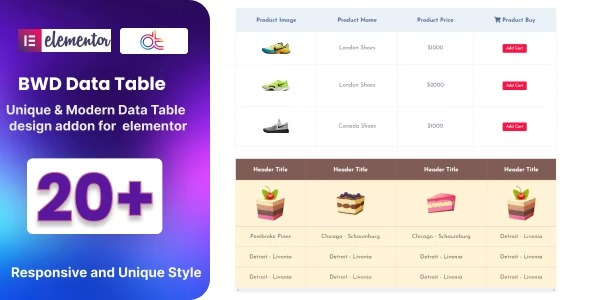
Data Table is a lightweight WordPress plugin that lets you add an attractive table to your site without coding. Quickly organize and present information with clean, responsive tables that boost engagement and readability. Ideal for beginners, it integrates seamlessly with Elementor and offers easy customization, making data display effortless.
Description
Data Table is a lightweight WordPress plugin that helps you add attractive tables to your site without writing code. It solves the common problem of presenting structured information—like comparisons, schedules, or catalogs—in a way that stays clear and easy to scan.
With clean, responsive table layouts, the plugin improves readability and keeps users engaged as they browse. It’s designed for practical content display in WordPress, and it integrates smoothly with Elementor so you can build table sections visually while keeping your layout consistent with your theme.
Main Features
- No-code table creation — Build tables directly in WordPress without needing custom coding skills.
- Responsive table layout — Automatically adapts table structure for better viewing on mobile and desktop.
- Cleaner data presentation — Organize content into clear rows and columns for quick scanning.
- Elementor integration — Use the table in your Elementor workflow for consistent page building.
- Easy customization — Adjust table appearance to match your site’s design.
- Multiple content use cases — Suitable for comparison data, listings, and structured informational sections.
- Lightweight performance focus — A simple plugin approach intended to keep pages fast and manageable.
Benefits
- Better readability — Clear formatting helps visitors understand information faster.
- Higher engagement — Tables make structured content easier to explore, supporting longer on-page time.
- Improved UX on any device — Responsive behavior reduces the frustration of cramped layouts on phones.
- Faster content updates — Update displayed information without relying on developer help.
- More consistent page design — Elementor-friendly setup helps tables blend with your existing sections and theme styling.
Who is it suitable for?
- WooCommerce stores showing product comparisons, specs, or inventory-related details.
- Elementor users who need structured content layouts without coding.
- Bloggers and publishers organizing data-heavy posts or resources.
- Agencies building client pages that require consistent, reusable table sections.
- Online course creators displaying schedules, modules, or learning plans.
- Small business sites that want clearer information presentation across landing pages.