Custom JavaScript & CSS in Pages 3.8
Add custom JS & CSS directly to any WordPress page, post, or custom post with Custom JavaScript & CSS in Pages. This plugin lets you embed code in headers or footers, keep changes when switching themes, and manage code via a syntax-highlighted editor for fast, error-free customization. Perfect for speeding up styling and functionality tweaks without editing theme files.
Description
Custom JavaScript & CSS in Pages adds custom CSS and JavaScript directly to any WordPress page, post, or custom post. Instead of editing theme files, you can insert code where it belongs—typically in the header or footer—to target specific pages without side effects.
It also supports global code objects, so you can define reusable snippets and external libraries once and then control where they load. Visibility rules (by page, post, URL, and similar conditions) help you keep scripts and styles scoped.
With a syntax-highlighted editor and options to print code inline or from external files, this plugin streamlines styling and functionality tweaks for cleaner workflows—while keeping your changes even after switching themes.
Main Features
- Header and footer placement — Output CSS and JavaScript in the header or footer.
- Per-page snippet editing — Add code directly inside any page, post, or custom post.
- Global code objects — Create reusable code definitions and attach them to selected placements.
- External file inclusion — Load JavaScript or CSS libraries from external sources.
- Inline code printing — Embed custom CSS/JS directly without extra theme modifications.
- Syntax-highlighted editor — Improve readability and reduce errors while writing code.
- Multiple codes per frontend page — Add several snippets and manage them in one workflow.
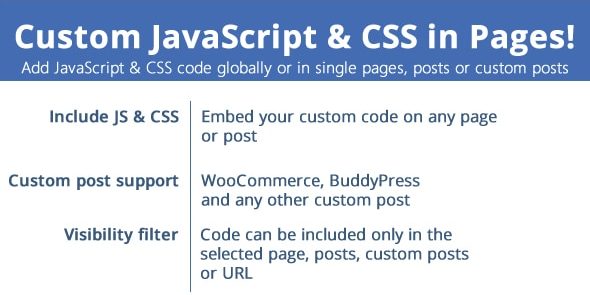
- Visibility filters — Show code based on page/post/URL conditions.
- Theme switching persistence — Keep your embedded changes when you change the active theme.
Benefits
- Cleaner updates — Avoid editing theme files and reduce the risk of losing customizations.
- More precise UX — Apply scripts and styles only to the pages that need them.
- Faster iteration — Adjust CSS/JS from the WordPress editor instead of rebuilding theme code.
- Lower conflict risk — Keep changes scoped by using header/footer placement and visibility rules.
- Better performance control — Load external libraries and snippets only where required.
- Improved maintainability — Manage reusable global snippets alongside per-page metabox code.
Who is it suitable for?
- WooCommerce stores that need page-specific styling or script behavior for products.
- WordPress content teams managing custom pages and posts with consistent code blocks.
- Web agencies customizing multiple sites without touching theme templates.
- Developers extending functionality for custom post types (including BuddyPress content).
- Site owners who want quick CSS/JS tweaks while keeping theme switching safe.
- Blog and landing page publishers optimizing layout and behavior per URL.