
CSV Import / Export 3.0.4 – WordPress Plugin
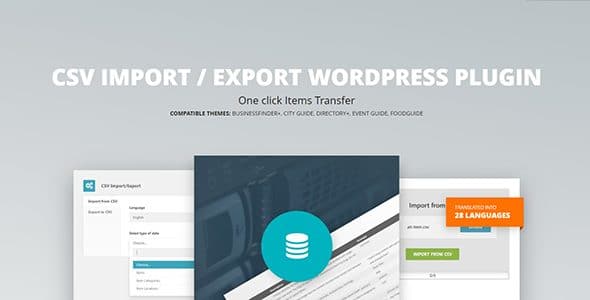
CSV Import / Export powers quick bulk updates by importing directory items, categories, and locations from CSV, and exporting to CSV for easy edits in Excel or Numbers. Save time with auto-generated sample CSV for your current theme and seamless WordPress plugin integration. Ideal for fast, accurate data management with a user-friendly workflow.
Description
CSV Import / Export is a WordPress plugin designed for directory-based websites that need fast, reliable bulk data management. It helps you move large sets of directory items, item categories, and locations between your site and a CSV file.
Instead of updating entries one by one, you can import structured CSV data into your directory theme, then fine-tune the same data locally in Microsoft Excel or Apple Numbers. The workflow is built for accuracy and speed, especially when content lists grow or change often.
The plugin also auto-generates a sample CSV file based on your current theme, making it easier to format data correctly before you run an import.
Main Features
- Bulk import from CSV — Import directory items from a CSV file into your WordPress directory theme.
- Category import — Add or update item categories using data from your CSV.
- Location import — Import locations as part of your directory dataset via CSV.
- CSV export — Export your directory items, categories, and locations from WordPress into CSV format.
- Excel and Numbers editing — Make local edits in tools like Microsoft Excel or Apple Numbers, then re-import.
- Theme-based sample CSV — Automatically generate a sample CSV tailored to your current theme so the structure matches.
- Directory-focused integration — Designed to work smoothly with your existing directory theme workflow.
Benefits
- Faster updates — Bulk import/export reduces manual entry time for large directories.
- More accurate content — Structured CSV input helps keep items, categories, and locations consistent.
- Better workflow — Edit data in Excel or Numbers, then sync changes back to WordPress.
- Reduced setup friction — Auto-generated sample CSV helps you format files correctly for your theme.
- Scalable data management — Repeatable import/export supports ongoing additions and reorganizations.
Who is it suitable for?
- Directory website owners using a WordPress directory theme
- Content teams managing frequent updates to items, categories, and locations
- Agencies migrating or restructuring directory data for multiple clients
- Site administrators who maintain directory catalogs in spreadsheets
- Operators coordinating bulk content workflows across WordPress and Excel/Numbers
