CSS3 Responsive WordPress Compare Pricing Tables 12
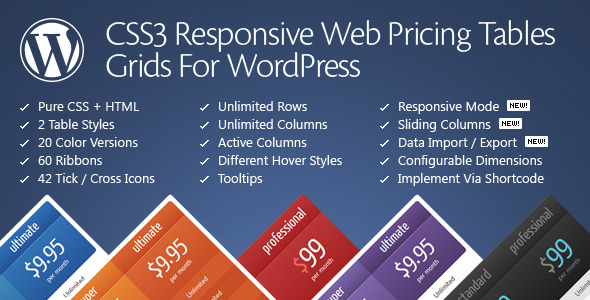
CSS3 Responsive WordPress Compare Pricing Tables lets you build stunning, responsive pricing grids for WordPress, with two table styles and 20 color versions. A powerful admin panel provides live configuration and flexible options for columns, rows, and cells, as a WordPress plugin, it offers easy setup, live previews, and seamless integration.
Description
CSS3 Responsive WordPress Compare Pricing Tables is a WordPress plugin that helps you create responsive pricing grids designed to compare plans clearly. Using pure CSS3, it provides two table styles plus 20 predefined color versions so your tables can match your site’s branding.
With an extensive admin panel and live configuration, you can adjust table settings in real time and preview changes without guesswork. The responsive mode configurator also helps ensure your pricing layout stays readable across mobile and desktop screens.
Main Features
- Two pricing table styles — Choose between different layout styles for your plan comparison.
- 20 color versions — Quickly apply cohesive colors without manually editing CSS.
- Extensive admin panel — Configure table options from a central WordPress control area.
- Live configuration — Update settings with immediate feedback during setup.
- Live previews — See how your pricing table will look before finalizing changes.
- Responsive mode configurator — Tailor behavior so tables remain usable on different screen sizes.
- Flexible columns and rows — Structure comparison content to fit your plans and details.
- Customizable table cells — Adjust cell-level options to highlight features and pricing attributes.
Benefits
- Clear plan comparison — Organize options into columns and rows so visitors can scan differences quickly.
- Better UX on any device — Responsive configuration helps maintain readability and layout consistency.
- Faster setup — Admin panel controls reduce the need for manual styling while keeping results predictable.
- Stronger visual consistency — Predefined color versions help align pricing tables with your theme and brand.
- More confident edits — Live previews and configuration support iterative improvements without disrupting your page.
Who is it suitable for?
- WooCommerce stores that want plan-like pricing comparisons on product or landing pages
- Marketing agencies building pricing sections for multiple client websites
- Freelancers and consultants who need clear service tiers and feature breakdowns
- Content creators publishing membership or subscription comparisons
- Online schools and course platforms showing package differences across devices
- Small SaaS teams updating pricing presentations regularly in WordPress