Crypton – Cryptocurrency Elementor Template Kit
| Cetegory: | Finance & Law |
|---|---|
| Full Preview: | Crypton |
| More Info: | Themeforest |
| HOW TO INSTALL |
Description
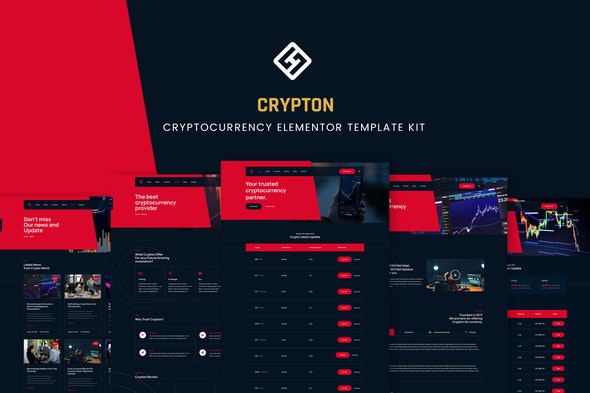
Crypton is Cryptocurrency Elementor Kit. You can use this kit for starter template to develop cryptocurrency website. This kit is full feature such Currency, Service, Profile and so on. Get this kit to ease your project.
Page Templates :
- Homepage
- About
- Service
- Currency
- News
- Single News
- Contact
- Single 404
Sections and Blocks :
- Header
- Footer
- Currency
- Content Tabs
Required Plugins (will be installed automatically) :
Elementor
Premium Addons for Elementor
Essential Addon Plugin for Elementor
XL Tab
Elementor Pro upgrade is required for some templates and features (not included)
How to Install:
- Install and Activate the Envato Elements plugin from Plugins > Add New in WordPress
- Do not unzip
- Go to Elements > Installed Kits and click the Upload Template Kit button.
- Before importing a template, ensure the Install Requirements button is clicked to activate required plugins
- For best results, do not import more than one template at a time.
- Go to Pages and create a new page and click Edit with Elementor
- Click the gear icon at lower-left of the builder to view page settings and choose Elementor Full Width and hide page title
- Click the gray folder icon to access My Templates tab and then Import the page youd like to customize
For further support, go to Elementor > Get Help in WordPress menu.
System Requirements to Install Elementor Kit
- Memory Limit Hosting Server Should Be 512 Mb
- MySQL version 5.6 or greater OR MariaDB version 10.0 or greater
- PHP 7 or Greater
- Wordpres 5.2 or Greater
- This template not support Internet Explorer.
- For More Info Kindly Visit this Guide: https://elementor.com/help/requirements/