CrocoBuilder 1.0.2
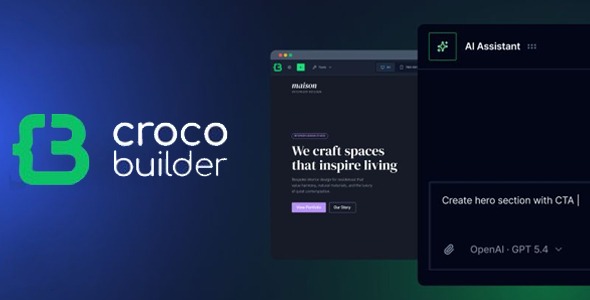
CrocoBuilder is a WordPress page builder plugin designed for creating clean, modern layouts inside your dashboard. Build custom pages faster with an intuitive visual workflow, reuse layouts to stay consistent, and make updates without touching code. A solid choice for marketing sites that need efficient publishing.
Description
CrocoBuilder is a WordPress page builder that helps you design polished layouts directly in your admin panel. If you want to build landing pages, service pages, or marketing sections without writing code, it provides an intuitive way to arrange content and refine the look. Instead of starting from scratch for every page, you can reuse your own sections to keep designs consistent across the site. The result is a faster workflow for creating and updating site layouts, with control over typography, spacing, and overall presentation.
Main Features
- Visual drag-and-drop editor — Build page layouts by placing and arranging elements on a canvas.
- Reusable layout blocks — Save sections you create and apply them across multiple pages.
- Typography and style controls — Adjust fonts, colors, and text styling to match your brand.
- Spacing and alignment settings — Fine-tune padding, margins, and positioning for clean structure.
- Responsive layout editing — Configure how your design adapts for different screen sizes.
- Element customization options — Modify component details so each section can be tailored to its purpose.
- Live page preview — Review changes as you build to reduce guesswork.
- Consistent design workflow — Maintain uniform styling across pages by reusing your existing sections.
Benefits
- Quicker page creation — Build new layouts faster by assembling reusable sections instead of starting over.
- More consistent branding — Keep typography and visual styling uniform across the entire WordPress site.
- Improved user experience — Fine-tuned spacing and alignment help content feel organized and easier to scan.
- Better mobile presentation — Responsive editing supports a more reliable look on phones and tablets.
- Streamlined updates — When designs follow reusable blocks, updating multiple pages becomes simpler.
- Clearer content structure — Well-organized sections support better readability and helps visitors find key information.
Who is it suitable for?
- WordPress business owners building marketing and service pages
- Content creators who publish frequently and need fast layout updates
- Marketing teams creating landing pages and promotional sections
- Agencies managing multiple client websites with consistent styling
- Freelancers who want a no-code workflow for website edits
- Small teams maintaining a website without relying on developer time