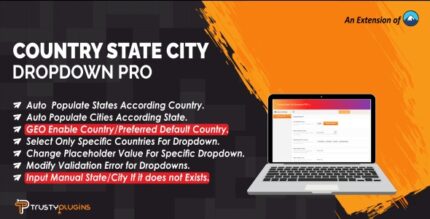
Country State City Dropdown PRO 5.7

Country State City Dropdown PRO is a WordPress plugin that adds dynamic country, state, and city dropdowns to Contact Form 7. It simplifies form filling, delivering accurate location data and a better user experience. Lightweight, seamless integration with Form 7 design and three new form-tag fields—country, state, and city—for precise targeting. Explore today.
Description
Country State City Dropdown PRO is a WordPress plugin designed to enhance Contact Form 7 with dynamic location fields. It adds country, state, and city dropdowns that make it easier for visitors to enter accurate geographic information. By linking selections across the hierarchy, the form can show relevant states and cities based on the chosen country. This improves form usability, reduces typing errors, and helps you capture more consistent data for follow-ups and targeting. Built to fit smoothly with the Contact Form 7 workflow, it uses a lightweight approach for practical everyday use.
Main Features
- Country, state, and city dropdowns — Adds three location fields directly to Contact Form 7.
- New Contact Form 7 form-tag fields — Includes fields for country drop-down, state dropdown, and city dropdown.
- Dynamic option updates — States and cities are presented based on the user’s higher-level selection.
- Seamless Form 7 integration — Works within Contact Form 7’s form-tag structure for consistent setup.
- Lightweight implementation — Focuses on delivering dropdown functionality without heavy overhead.
- Precise location data — Helps visitors select standardized regions instead of entering free text.
- Form-ready targeting — Captures structured country/state/city values for better segmentation.
- Compatible with common WordPress page builders — Supports embedding Contact Form 7 forms on pages built in Elementor and themes.
Benefits
- Better UX — Dropdowns reduce effort and make location entry faster for users.
- Fewer mistakes — Structured selections lower the chance of invalid or misspelled locations.
- Higher form completion — Clear, relevant options can improve conversions by keeping users moving.
- More useful leads — Consistent country/state/city fields support smarter follow-ups and routing.
- Cleaner data for segmentation — Enables easier filtering and targeting based on geographic criteria.
Who is it suitable for?
- WordPress sites using Contact Form 7 and collecting location details from visitors.
- Marketing teams that need structured country/state/city data for campaigns.
- Agencies building client forms across multiple regions.
- Real estate, local services, and directories that require accurate geographic information.
- Landing pages and contact pages created with Elementor or standard WordPress themes.