
Countdowner 1.0.5 – Countdown Timer for Elementor
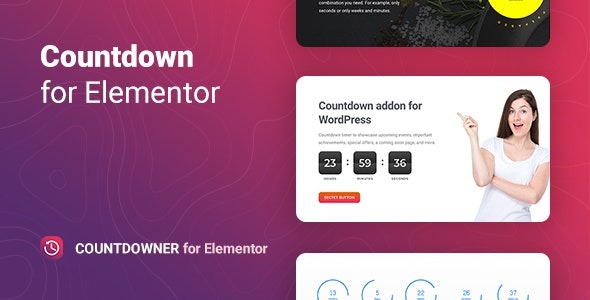
Countdowner is a WordPress plugin for Elementor that adds a versatile countdown timer to showcase upcoming events, offers, or a coming soon page, boosting urgency and conversions. With unlimited counters, two timer modes (date or evergreen), and five animations, setup is quick and the widget blends design with high impact. Explore Countdowner today and turn hype into action.
Description
Countdowner is a WordPress plugin designed for Elementor that helps you add a countdown timer to key pages and sections. It’s useful for highlighting upcoming events, important achievements, special offers, or a coming soon experience without rebuilding your layout.
With versatile widget controls, you can configure timing, appearance, and how the counter behaves when it reaches zero. Countdowner supports unlimited counters per page so you can run multiple campaigns in different sections.
Main Features
- Elementor countdown widget — Adds an easy-to-place timer element to Elementor pages and templates.
- Unlimited counters — Create as many countdowns as needed across a single website page or layout.
- Date-based timer mode — Set the countdown to end on a specific date for launches and deadlines.
- Evergreen timer mode — Run a continuously repeating timer for ongoing promotions and recurring events.
- Block and Inline views — Choose how the timer appears in your design, either as a standalone block or inline element.
- Configurable time units — Select which units to display on the counter.
- Five digital animations — Apply digital-style animations to make the timer visually engaging.
- Actions after expiry — When time runs out, show a message/button, redirect visitors, or hide the countdown.
Benefits
- Stronger urgency cues — Reinforces deadlines and event timing to encourage timely action.
- Better on-page clarity — Lets you align the countdown format (view type and time units) with your layout for improved UX.
- Higher engagement — Digital animations add visual focus without disrupting your theme or structure.
- Improved conversions — Expiry actions (message/button or redirect) guide visitors toward the next step.
- Reusable campaign setup — Supports evergreen or date-based modes so the same page sections can serve different objectives.
Who is it suitable for?
- WooCommerce stores promoting limited-time offers and product launches.
- Agencies building Elementor-based landing pages for multiple client campaigns.
- Content creators and bloggers publishing coming soon announcements and event pages.
- Online course creators running enrollment deadlines or schedule-based reminders.
- Businesses updating achievements, webinars, and special milestones across WordPress sites.
