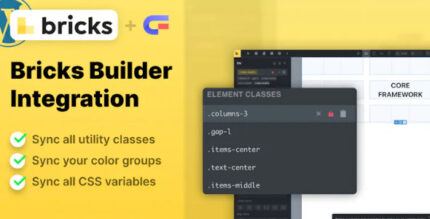
Core Framework Bricks Builder Integration 1.7.0

Core Framework Bricks Builder Integration delivers seamless Core Framework capabilities inside Wordpress by bridging it with Bricks Builder. It ensures consistent classes, colors, and variables with Bricks’ native fields, plus effortless Bricks auto-suggestions and color system. A fast, cohesive design workflow with easy integration—explore the power today.
Description
Core Framework Bricks Builder Integration bridges Core Framework capabilities with WordPress and Bricks Builder so your layouts stay consistent from design to implementation. Instead of manually matching styles, the integration aligns Core Framework classes, colors, and variables with Bricks’ native fields. This helps reduce style drift when you build pages, templates, and reusable sections in Bricks.
With Bricks auto-suggestions and the Bricks color system connected to Core Framework, you can work faster while maintaining a cohesive design language. The result is a smoother, more predictable workflow for teams using WordPress, Elementor alternatives like Bricks, and Core Framework together.
Main Features
- Bricks Builder integration — Connects Core Framework functionality directly within Bricks Builder on WordPress.
- Consistent Core Framework styling — Keeps Core Framework classes, colors, and variables aligned with Bricks editing controls.
- Mapping to Bricks native fields — Uses Bricks’ existing field structure so styling decisions remain familiar in the builder UI.
- Bricks auto-suggestions — Offers convenient suggestions based on the integrated Core Framework definitions.
- Bricks color system support — Makes it easier to select and apply colors using Bricks’ native color tooling.
- Reusable workflow for design tokens — Supports a token-based approach by maintaining the same variables across templates and components.
- Lightweight integration — Designed to be straightforward so the builder experience remains responsive.
- Cohesive styling across pages — Helps ensure your typography, spacing, and palette behave consistently throughout your site.
Benefits
- Fewer styling mismatches — Core Framework variables map to Bricks fields to reduce accidental inconsistencies.
- Faster editing — Auto-suggestions speed up choosing the right classes and design tokens in Bricks.
- Better UX in the builder — Working with Bricks-native controls keeps the interface predictable for designers and editors.
- More consistent brand presentation — A shared color and variable system improves overall visual uniformity across pages.
- Smoother scalable design — Consistent tokens make it easier to expand sections, templates, and page types over time.
Who is it suitable for?
- WordPress site owners building pages with Bricks Builder.
- Designers using Core Framework to standardize styles across multiple templates.
- Web agencies managing client sites that need consistent UI styling.
- Teams creating reusable page sections and design-token-driven layouts.
- Content teams who want a simpler, more consistent builder workflow.