Content Manager for WordPress 2.27
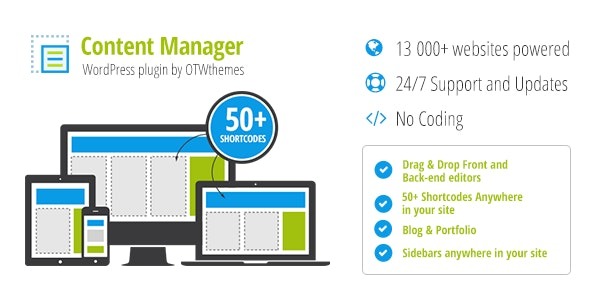
Content Manager for Wordpress makes building responsive layouts effortless with just a few clicks. Create layouts and fill them with content using ready-to-use, customizable shortcodes, sidebars, and imported options, all editable from the front-end—no admin area required. Fast, visual content management for Wordpress that boosts workflow and user engagement.
Description
Content Manager for WordPress is a WordPress plugin designed to make building responsive layouts quick and visual. Instead of working through the admin area, you can create layouts, add content, and refine sections directly from the front-end experience.
It helps solve the common problem of repeatedly adjusting page structure and short content blocks across different screen sizes. With ready-to-use, customizable shortcodes, sidebars, and options you can import, you can assemble pages faster while keeping control over how elements look and behave.
The result is a streamlined workflow for managing content inside your WordPress site—so you can publish, iterate, and improve user engagement with fewer context switches.
Main Features
- Responsive layout builder — Create layouts that adapt to different screen sizes in a few clicks.
- Front-end editing — Edit layouts and content directly on your site without returning to the WordPress admin area.
- Ready-to-use shortcodes — Use a library of prebuilt shortcodes to quickly add common elements.
- Customizable shortcode options — Adjust shortcode settings to match your content and design needs.
- Custom shortcodes support — Add and manage your own shortcode content alongside existing options.
- Imported shortcode options — Bring in additional shortcode configurations to expand what you can build.
- Sidebar creation and placement — Build and include sidebars as part of your responsive layouts.
- Fast, visual workflow — Manage page structure and content changes quickly with a clear front-end view.
Benefits
- Faster page production — Shortcodes and templates-style layout creation reduce time spent rebuilding sections.
- Smoother iteration — Front-end editing helps you test changes immediately and refine content without delays.
- Better UX alignment — Responsive layouts help keep reading and navigation consistent across devices.
- More consistent formatting — Reusable shortcode options support uniform design across posts and pages.
- Improved content engagement — Easier structure updates make it simpler to keep pages relevant and compelling.
- Streamlined workflow — Less switching between areas of WordPress supports a more efficient content process.
Who is it suitable for?
- WordPress site owners who want easier responsive page building
- Bloggers and content creators managing frequent layout updates
- Agencies producing landing pages and client pages with consistent blocks
- Marketing teams who need quick iteration on on-page content
- Small businesses maintaining pages with reusable sections
- Teams that prefer front-end editing workflows over admin-based editing