Contact Form 7 Webhooks 1.5.2
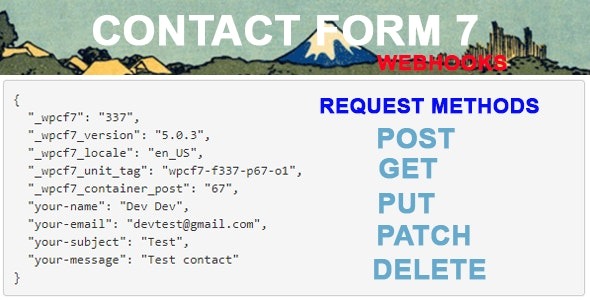
Contact Form 7 Webhooks lets you send form data from Contact Form 7 directly to any external API. It automates your workflow by pushing submissions to a 3rd-party service, saving time and reducing manual data entry. A lightweight WordPress add-on with simple setup and flexible API integration—perfect to streamline your processes.
Description
Contact Form 7 Webhooks is a WordPress add-on that sends your Contact Form 7 form submissions directly to external APIs. Instead of copying data manually or relying on intermediate steps, it automates the flow by pushing submission details to a third-party service. This helps you streamline lead capture, support requests, and internal workflows. The plugin is lightweight, with straightforward setup inside the WordPress admin. If you’re integrating Contact Form 7 with other systems, webhooks provide a flexible way to connect your form to the tools you already use.
Main Features
- Sends form data via webhooks — Pushes Contact Form 7 submission data to an external API endpoint.
- External API integration — Connects your forms to a third-party service without manual transfer.
- Configurable data passing — Forwards the relevant submission information, such as the form submission details.
- Workflow automation — Triggers an automated delivery of each completed submission to your chosen API.
- Simple setup in WordPress — Designed for easy configuration within the WordPress environment.
- Lightweight plugin approach — Adds integration capability without heavy overhead.
- Flexible third-party connectivity — Works with different API-driven services depending on your integration needs.
- Built for Contact Form 7 — Uses Contact Form 7 submissions as the source of webhook payloads.
Benefits
- Faster processing — Submissions reach your external API immediately, reducing delays in your workflow.
- Less manual data entry — Cuts repetitive copy/paste work and lowers the chance of transcription mistakes.
- More accurate records — Sends the same submission details your form collects, improving consistency.
- Smoother integrations — Connects Contact Form 7 to other tools through an API-based approach.
- Streamlined operations — Automates handoffs between your website and third-party systems, supporting better team flow.
Who is it suitable for?
- WooCommerce store owners using Contact Form 7 for customer inquiries
- Marketing teams running lead-generation forms that need API routing
- Agencies building WordPress sites with custom third-party integrations
- Developers connecting form submissions to CRMs, ticketing tools, or automation platforms
- Small businesses managing support requests and internal alerts
- Websites that need reliable, automated data transfer from forms to external services