Contact Form 7 Signature 1.6.5
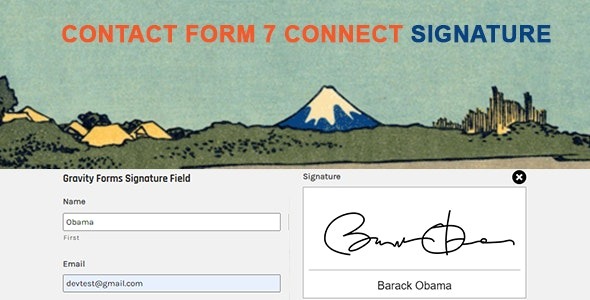
Contact Form 7 Signature is a WordPress plugin that lets users sign your forms with a mouse or touch screen, simplifying contracts and agreements. It integrates seamlessly with Contact Form 7, delivering a smooth, verifiable signature and better form compliance. A lightweight, easy-to-use solution worth exploring.
Description
Contact Form 7 Signature is a WordPress plugin that helps you collect signed approvals directly through your existing Contact Form 7 forms. It lets users add a handwritten-style signature using a mouse or a touch screen, making it practical for contracts and agreements. Instead of moving users to another tool, you keep the workflow inside your form page.
The plugin is designed to integrate seamlessly with Contact Form 7, so you can add a signature step where it fits your process. Submissions include the signature in a consistent, verifiable way, supporting clearer records and form compliance for real-world agreements.
Main Features
- Signature capture field — Adds a dedicated area for users to sign within your Contact Form 7 form.
- Mouse and touch support — Works for desktop mouse input and touch-screen devices.
- Seamless Contact Form 7 integration — Designed specifically to work with Contact Form 7 form submissions.
- Verifiable signature data — Ensures signatures are saved as part of the submitted form content.
- Easy form setup — Adds the signature step without complex configuration changes to your existing form structure.
- Smooth signing experience — Provides a straightforward interface so users can sign naturally and quickly.
- Lightweight add-on — Keeps the solution focused on signature collection rather than heavy form redesigns.
Benefits
- Faster agreement flow — Users sign where they already interact, reducing drop-offs caused by extra steps.
- More complete records — Signature data travels with the submission, improving documentation for approvals.
- Better UX on any device — Mouse and touch input support makes signing consistent across desktops, tablets, and mobile.
- Stronger compliance — Captured signatures help align form submissions with agreement-style workflows.
- Simpler implementation — Works within Contact Form 7, so you don’t need to rebuild your forms or switch tools.
Who is it suitable for?
- WooCommerce stores using Contact Form 7 for order approvals or customer acknowledgements
- Freelancers and agencies collecting signed service agreements through WordPress forms
- Websites needing consent forms, waivers, or permission acknowledgements
- Online schools and training sites managing enrollment confirmations
- Business websites handling HR documents or onboarding acknowledgements
- Nonprofits and community platforms collecting signed participation agreements