Contact Form 7 Email Template Builder 1.0.3
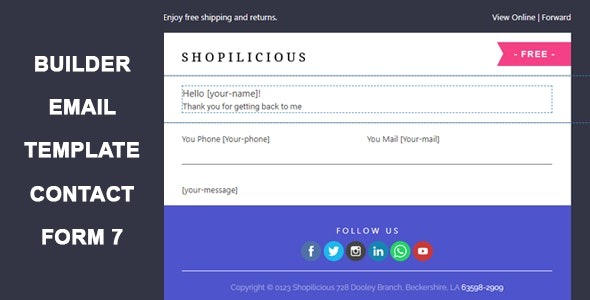
Contact Form 7 Email Template Builder lets you customize the design of emails for your forms, delivering branded, professional messages with ease. The main benefit is improved engagement and consistency across notifications, thanks to drag‑and‑drop templates and seamless WordPress integration. A smart choice for polished comms—explore the plugin today.
Description
The Contact Form 7 Email Template Builder is a WordPress plugin that helps you customize the design of emails sent from Contact Form 7 forms. Instead of relying on plain notifications, you can create branded, professional email layouts that match your website style.
It solves the problem of inconsistent or hard-to-read form emails by providing a visual template builder and streamlined integration with Contact Form 7. The result is smoother communication with your users and clearer message presentation every time a submission is made.
Main Features
- Email template builder — Create custom email designs specifically for Contact Form 7 notifications.
- Drag-and-drop editing — Build and arrange template elements visually without manual HTML work.
- Branded styling controls — Apply design choices that align emails with your brand and site appearance.
- Template customization for different messages — Tailor email layouts for common form notification scenarios.
- Seamless Contact Form 7 integration — Connect your templates directly to the email output generated by CF7.
- Consistent email formatting — Maintain the same structure and styling across notifications for a cleaner experience.
- Improved readability — Use structured templates to present form submission details more clearly.
- WordPress-friendly workflow — Manage templates within your existing WordPress site setup.
Benefits
- More engaging notifications — Branded, well-structured emails encourage recipients to read and respond.
- Higher consistency — Uniform design across submissions reduces variation in how messages look.
- Better user experience — Clear formatting improves comprehension of form submission details.
- Faster updates — Redesign email presentation by editing templates instead of changing raw output repeatedly.
- Stronger brand trust — Professional-looking emails reinforce credibility during communication.
Who is it suitable for?
- WooCommerce and website owners using Contact Form 7 for customer inquiries.
- Marketing teams that want branded email notifications for leads.
- Bloggers and content sites that rely on contact forms for communication.
- Agencies managing multiple WordPress client sites with consistent messaging.
- Small business websites that need clearer, more polished form correspondence.