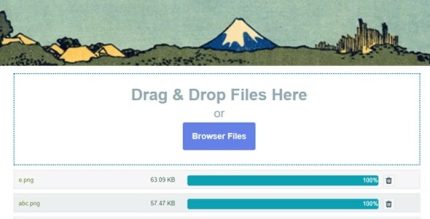
Contact Form 7 Drag and Drop FIles Upload 3.5.6 – Multiple Files Upload
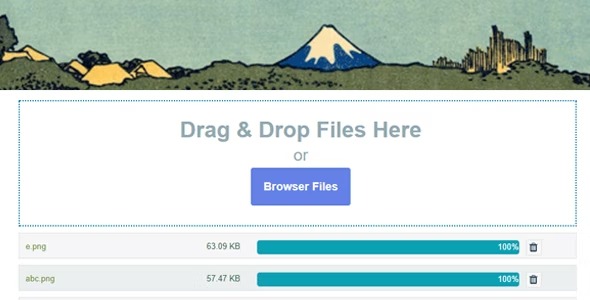
Contact Form 7 Drag and Drop Files Upload makes it easy to add a drag-and-drop or multi-file upload area to your forms. Files attach automatically to emails in WordPress, delivering faster submissions, while seamless integration and simple setup boost usability.
Description
Contact Form 7 Drag and Drop FIles Upload adds an intuitive file uploader to your Contact Form 7 forms in WordPress. Instead of relying on a basic single-file field, it lets users drag files into the form area or select multiple files at once. This helps solve common submission friction when visitors need to attach documents, images, or other attachments to a request.
When the form is submitted, the uploaded files are automatically attached to the outgoing email, so you don’t need extra manual steps to include attachments. The result is a smoother form experience and cleaner workflows for admins managing requests through Contact Form 7.
Main Features
- Drag-and-drop upload area — Enables a simple drag-and-drop interaction for users attaching files.
- Multiple files upload — Allows visitors to select and upload more than one file per submission.
- Automatic email attachments — Automatically attaches uploaded files to the Contact Form 7 email.
- Works with Contact Form 7 — Designed specifically to extend Contact Form 7 forms within WordPress.
- Simple form setup — Keeps configuration straightforward so you can add the uploader quickly.
- Choose upload behavior — Supports a drag-and-drop experience or a multiple-files chooser area.
- Improved submission usability — Makes it easier for users to attach the right documents during form completion.
- Seamless integration — Fits into your existing Contact Form 7 workflow without replacing your form structure.
Benefits
- Higher completion rate — Reduces effort for users who need to attach files, supporting more successful submissions.
- Faster back-and-forth — Automatically includes attachments in emails so reviewers receive everything at once.
- Better user experience — Drag-and-drop and multi-file selection make the attachment step feel more natural.
- Less admin work — Removes the need for manual attachment handling after submissions.
- Cleaner form processes — Keeps your Contact Form 7 setup consistent while adding practical file upload functionality.
Who is it suitable for?
- WordPress sites using Contact Form 7 for quote requests and contact workflows.
- Businesses collecting documents through forms, such as proposals, resumes, or contracts.
- Agencies managing client submissions that require multiple attachments.
- Nonprofits and organizations receiving application files or supporting documents.
- Websites built around WordPress forms where a better upload experience is needed.
- Content teams handling inbound requests that include images or files.