Contact Form 7 Autocomplete Address Field 3.2.4

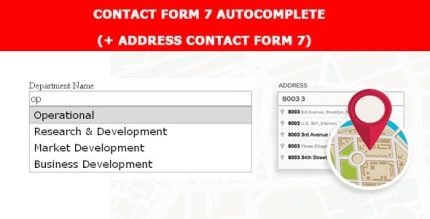
Contact Form 7 Autocomplete Address Field speeds up form filling by offering real-time address suggestions. Designed for WordPress sites, it reduces user effort and boosts conversions with intuitive autofill. Enjoy easy integration and a smoother checkout experience that invites users to complete forms.
Description
The Contact Form 7 Autocomplete Address Field is a WordPress plugin that adds address auto-complete to your Contact Form 7 forms. As visitors type, it offers real-time suggestions so they can complete their details faster with fewer keystrokes. This helps solve common form-friction problems—slow typing, incomplete addresses, and unnecessary back-and-forth corrections.
By making address entry more intuitive, the plugin improves the overall user experience and encourages more visitors to finish the form. It’s especially useful for contact, lead, and checkout-related workflows where accurate address data matters, helping streamline submissions across your WordPress site and templates built with tools like Elementor or your active theme.
Main Features
- Autocomplete address input — Adds an auto-completing address field to Contact Form 7 forms.
- Real-time suggestions — Displays address options as the user types, reducing time spent searching.
- Faster form filling — Helps visitors complete address details quickly instead of typing everything manually.
- Improved data accuracy — Allows users to select suggested addresses to minimize typos and partial entries.
- Intuitive user experience — Guides users with clear suggestions that feel natural on form screens.
- Seamless WordPress integration — Designed to work within the Contact Form 7 workflow on WordPress.
- Works with CF7 form layouts — Fits into the forms you already build and reuse across templates or pages.
- Supports smoother submissions — Reduces effort during address entry to help users reach the submit step.
Benefits
- Higher completion rates — Shorter address entry time reduces drop-offs and increases completed submissions.
- Better UX — Real-time suggestions make the form feel easier and more responsive.
- Fewer entry errors — Selecting suggested addresses helps capture cleaner, more accurate details.
- More efficient user flow — Autofill-style selection reduces effort and keeps users moving toward conversion.
- More reliable lead and order data — Users are more likely to submit complete address information.
Who is it suitable for?
- WooCommerce stores using Contact Form 7 for lead or address capture forms
- Service businesses collecting customer details via WordPress forms
- Agencies building CF7-driven sites with Elementor or custom themes
- Real estate, travel, and booking websites with address-heavy forms
- Organizations running multi-page WordPress funnels that require fast form entry
- Content and community sites that want smoother contact and inquiry submissions