Color Field for Elementor form 1.2.0
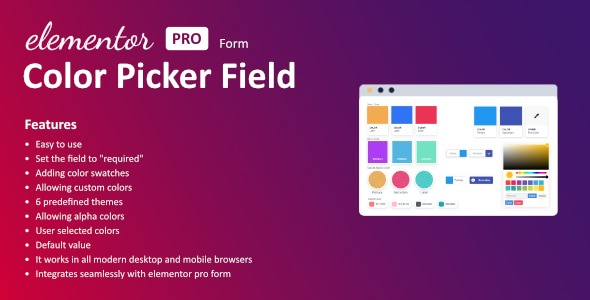
Color Field for Elementor form injects vibrant color into your WordPress forms with a user-friendly color picker and ready-made swatches. Users can pick from your defined palette or enter a custom hex value for precise branding, delivering a visually cohesive experience. Ideal for designers seeking seamless integration, ease of use, and professional results.
Description
Color Field for Elementor form is a WordPress plugin that adds vibrant color selection to your Elementor-built forms. Instead of plain inputs, it provides a user-friendly color picker that lets visitors choose colors directly while filling out your form. It helps solve the need for controlled, on-brand inputs—especially when you want consistent styling choices across submissions.
With ready-made swatches and the option to enter a custom hex value, you can guide users toward your defined palette or allow precise, brand-accurate selection. The result is a cleaner, more interactive form experience in Elementor, aligned with modern design workflows.
Main Features
- Elementor form field — Adds a dedicated color field to Elementor form layouts.
- Color picker UI — Lets users select a color using an interactive picker.
- Pre-defined swatches — Provides a set of color swatches you choose for the form.
- Custom hex input — Allows users to enter a specific color using a hex value.
- Palette-driven branding — Supports consistent visual identity by steering choices to your palette.
- User-friendly selection — Makes choosing colors easier than typing raw values alone.
- Clear, visual input — Enables more intuitive responses compared to standard text fields.
Benefits
- Better UX in forms — Interactive color selection reduces friction during input.
- More consistent submissions — Swatches help users stay within your intended design range.
- Improved brand accuracy — Hex entry supports precise color matching when needed.
- Higher-quality data — Captures structured color values that are easier to use downstream.
- Seamless Elementor workflow — Integrates directly into Elementor form building without extra complexity.
Who is it suitable for?
- WooCommerce stores collecting product color preferences
- Design agencies building client Elementor forms
- Website owners customizing branding-focused contact forms
- Online educators creating interactive form-based assignments
- Content creators running community polls and submissions