Codence 1.0 – Developer Software Engineer Portfolio Elementor Template Kit
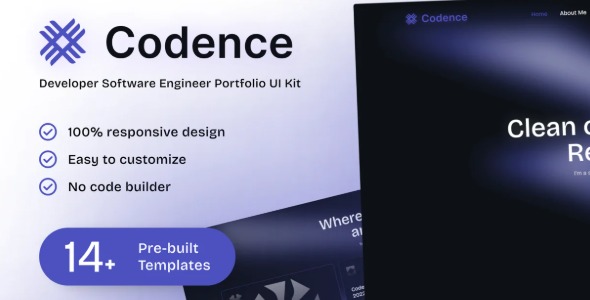
Codence is a WordPress Elementor Template Kit that helps developers showcase projects with ease using clean layouts and customizable sections. It delivers a sleek, modern design and intuitive setup, so you can highlight skills and code samples quickly to attract clients. A standout choice for portfolio-driven sites, designed for effortless integration and flexibility.
Description
Codence is a WordPress Elementor Template Kit built for software engineers and developers who want to present projects quickly and clearly. It solves the “where do I start?” problem by giving you a ready-made, modern foundation with clean layouts and customizable sections.
With Codence, you can highlight your skills, portfolio work, and code samples in a way that feels intuitive inside Elementor. The template kit is designed to support effortless integration and flexible editing, so you can adapt pages to different project types without rebuilding from scratch.
Main Features
- Elementor-ready template kit — Uses Elementor structure so you can edit sections directly in your WordPress dashboard.
- Clean, modern layout design — Provides a sleek visual style suited for technical portfolios and developer showcases.
- Customizable sections — Lets you adjust content blocks to match each project you want to feature.
- Skill and project highlighting — Helps you present your background and selected work in an organized, client-friendly format.
- Code sample-focused presentation — Supports showcasing code and technical details as part of your portfolio narrative.
- User-friendly setup — A straightforward approach for getting pages into Elementor without complex build steps.
- Flexible page adaptation — Makes it easier to reuse the kit’s structure across multiple project pages.
- Developer-centric structure — Designed specifically for software engineers and developers, not generic content pages.
Benefits
- Faster publishing — Start from ready-made Elementor templates to reduce setup time for new projects.
- Better client appeal — Clear project and code presentation can improve lead quality and engagement.
- Improved usability — Organized sections support smoother browsing for visitors evaluating your skills.
- Consistent portfolio branding — A cohesive design helps your technical work look unified across pages.
- More flexibility — Customizable blocks make it easier to tailor each page to different technologies and outcomes.
- Smoother iteration — Editing in Elementor supports ongoing updates as your portfolio evolves.
Who is it suitable for?
- Software engineers building a developer portfolio on WordPress.
- Freelance developers who need to showcase projects and code samples quickly.
- Agencies creating tech-focused sites for clients using Elementor.
- Tech bloggers and content creators with project walkthroughs or tutorials.
- Independent consultants presenting case studies and technical deliverables.
- Teams maintaining portfolio-driven landing pages for engineering services.