Co-Porlio 1.2.5 – Feature Rich WordPress Theme
Description
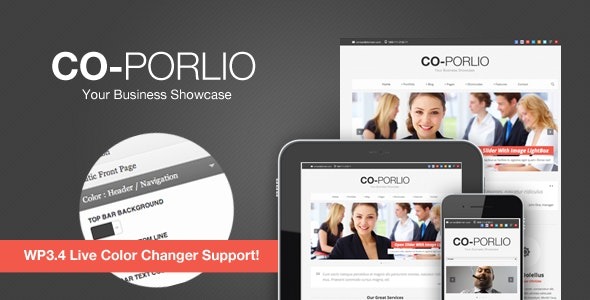
Co-Porlio is a WordPress theme that revamps the GoodLayers framework with a refreshed responsive setup and cleaner CSS organization. It helps you solve the common problem of slow, trial-and-error styling by letting you adjust appearance in real time. With a live color changer, you can test visual changes without saving and reloading the page.
Built for flexible site creation, Co-Porlio includes a drag-and-drop page builder for assembling pages with modular layouts. You can also refine styles through admin-side CSS tweaks and add your own CSS directly in the WordPress admin panel, making customization simpler for small updates. Suitable for business sites, blogs, and gallery-style pages, it supports a faster path from design idea to publish-ready layout.
Main Features
- GoodLayers framework revamp — Updates the underlying framework structure for a more organized theme foundation.
- Responsive setup changes — Reworked responsive behavior to improve how layouts adapt across devices.
- Re-organized CSS classes — Cleaner class structure helps keep styling easier to manage and extend.
- WP3.4 Live Colour Changer — Change colors instantly without saving or refreshing the page.
- Drag-and-drop Page Builder — Build pages using draggable modules for quick layout creation.
- Admin-side CSS tweaks — Adjust styles from the admin area without digging through theme files.
- Custom CSS in admin panel — Add your own CSS for targeted improvements and small design changes.
- Multi-purpose layout use — Works well for business, personal blog, and gallery-style websites.
Benefits
- Faster styling workflow — Live color changes reduce repetitive save-and-refresh cycles.
- Cleaner design control — Reorganized CSS classes make it easier to locate and refine styling rules.
- Better user experience — Responsive improvements support consistent presentation on mobile, tablet, and desktop.
- Quicker page creation — Drag-and-drop modules help you assemble layouts efficiently.
- Smoother customization — Admin-side CSS tweaks and custom CSS entry support practical, small iterations.
Who is it suitable for?
- Small business websites on WordPress
- Personal blogs and content publishers
- Portfolio and gallery pages
- Web agencies managing multiple WordPress builds
- Creators who want quick visual adjustments
- Site owners who prefer admin-based customization