Clientside 1.14.5 – WordPress Admin Theme
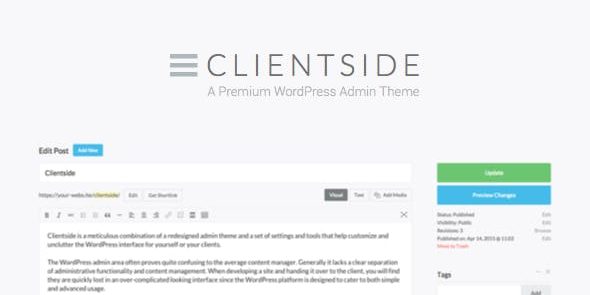
Clientside reshapes the WordPress admin with a redesigned theme and a toolkit to customize and declutter the interface for you or your clients, delivering a cleaner, more efficient CMS experience. Its per-user role customization lets admins hide features and rename menus, reducing confusion and boosting productivity. Built-in admin tools reduce plugin clutter and improve everyday workflow, Type: WordPress admin theme.
Description
Clientside reshapes the WordPress admin experience with a redesigned admin theme and a settings toolkit that helps you declutter the interface for yourself or your clients. It addresses a common pain point: the WordPress backend can feel crowded and confusing because it blends administrative functions and content editing in one area.
With per-user role customization, administrators can hide features, rename menus, and remove unnecessary items so each role sees a cleaner CMS workflow. Clientside also includes built-in admin tools intended to reduce repetitive plugin installations for common needs, helping streamline day-to-day management in WordPress, including WooCommerce site back offices.
Main Features
- Redesigned admin theme — Updates the look and organization of the WordPress backend for a more intuitive experience.
- Admin decluttering toolkit — Provides settings and tools to reduce visual noise and simplify everyday navigation.
- Per-user role customization — Applies interface changes based on the user’s role rather than a one-size-fits-all setup.
- Hide admin features — Lets administrators disable parts of the interface that aren’t needed for a given role.
- Rename and manage menus — Enables menu renaming and hiding to better match how your team works.
- Reduce plugin clutter — Adds common admin functionality so fewer add-ons are required for routine tasks.
- Cleaner CMS handovers — Helps client teams understand the backend faster by removing confusing or advanced options.
- Improved workflow clarity — Separates what users need to do from what they don’t, supporting smoother content and admin operations.
Benefits
- Less confusion — A cleaner admin layout and role-based visibility reduce mistakes and uncertainty.
- Faster onboarding — Renamed and hidden menus help client users find the right tools without wading through everything.
- Better productivity — Admin tools and decluttering reduce time spent navigating the backend.
- Simpler management — Built-in admin functionality can replace repetitive plugin installations for common needs.
- More consistent UX — Consistent role experiences create a calmer, more predictable CMS environment across teams.
Who is it suitable for?
- WooCommerce stores that want a clearer admin workflow for sales, support, and content teams.
- WordPress site owners who find the backend cluttered or difficult to navigate.
- Web agencies and freelancers handing off sites to clients.
- Content teams managing frequent updates who need simpler role-based access.
- Training or internal teams using WordPress where roles must be guided and simplified.