
Checkout Manager for WooCommerce 7.3.5
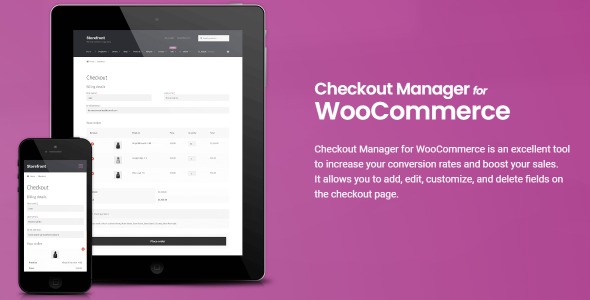
Checkout Manager for WooCommerce is a powerful tool for WooCommerce that lets you add, edit, customize, and delete fields on the checkout page to tailor the experience and boost conversions. It delivers a smoother checkout with easy customization, seamless integration, and greater sales potential while simplifying form management.
Description
Checkout Manager for WooCommerce is a plugin designed to help you manage the WooCommerce checkout page more precisely. Instead of relying on a fixed set of fields, it lets you add, edit, customize, and delete checkout fields to better match the needs of your store.
By tailoring what customers see and what information you collect, it can reduce friction during checkout and support higher conversion outcomes. It also simplifies ongoing form changes by keeping your checkout field adjustments in a dedicated WooCommerce plugin workflow.
Main Features
- Add checkout fields — Create new fields so you can collect the details your orders require.
- Edit existing fields — Adjust checkout field settings to align with your checkout process.
- Customize checkout fields — Tailor checkout content to improve clarity for shoppers.
- Delete unwanted fields — Remove fields that don’t contribute to completing an order.
- Manage checkout form content — Keep checkout changes organized without manually modifying templates.
- Apply changes to WooCommerce checkout — Updates are focused on the checkout page experience.
- Reduce checkout friction — Streamline what users must fill in during checkout.
- Support conversion-focused UX — Help create a checkout flow that feels more straightforward for customers.
Benefits
- Higher conversions — More relevant checkout fields can support better completion rates.
- Smoother checkout — A cleaner field set improves the overall user experience at checkout.
- Better data collection — Collect only the information you need to fulfill orders efficiently.
- Lower form abandonment — Reducing unnecessary inputs helps customers finish purchases.
- Less maintenance effort — Centralized field management reduces the need for repeated theme adjustments.
Who is it suitable for?
- WooCommerce store owners refining their checkout flow
- Marketers optimizing checkout UX for higher conversions
- Agencies building multiple WooCommerce client sites
- Online retailers with specialized checkout data requirements
- Content-driven shops improving purchase completion from landing pages
- Ecommerce teams who want easier checkout field management
