Calculated Fields Form Pro 5.8.63

Description
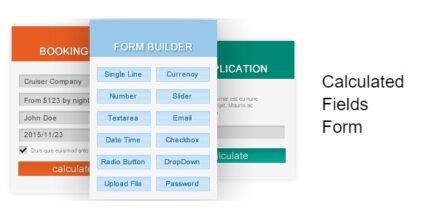
Calculated Fields Form Pro is a WordPress form builder that generates forms with automatically calculated fields. Instead of manual math, it derives results from what visitors enter into other inputs, giving instant and accurate output. This helps solve common issues with estimate and questionnaire forms, where errors can happen when users calculate totals themselves. By automating calculation logic inside the form, it streamlines workflows for anyone building interactive pages with a plugin-based WordPress setup. The result is a smoother experience and more consistent data capture for your site or client projects.
Use it when your form needs math-driven responses—such as totals, summaries, or computed fields—based on user input. Its focus on flexible field options and straightforward configuration makes it practical for everyday form building.
Main Features
- Form builder for WordPress — Create and manage form layouts directly in the WordPress admin.
- Support for multiple field types — Add and edit different input fields to match your form purpose.
- Automatically calculated fields — Generate one or more fields based on values entered in other fields.
- Calculation rules based on user input — Configure computed results that update from the form’s existing data.
- Instant computed results — Show calculation output immediately as users fill in the form.
- Clear field setup workflow — Build forms by defining inputs and the fields that depend on them.
- Reliable, repeatable logic — Keep the same calculation behavior across submissions and page sessions.
Benefits
- Less manual work — Automates math so you don’t rely on users to calculate totals.
- Fewer input errors — Reduces mistakes from incorrect calculations and inconsistent entries.
- Better user experience — Instant results make the form feel responsive and understandable.
- More consistent submissions — Ensures computed values follow the same rules every time.
- Time savings for teams — Simplifies updates to calculation behavior without rewriting user instructions.
Who is it suitable for?
- WooCommerce stores that need calculator-like forms for estimates or pre-qualification.
- Service businesses collecting quotes, preferences, or usage details.
- Agencies and web designers building interactive forms for clients.
- Content creators publishing tools, quizzes, or guided calculators on WordPress.
- Organizations running onboarding or intake forms with computed summaries.