BWD Tooltip Master Addon For Elementor 1.6

Description
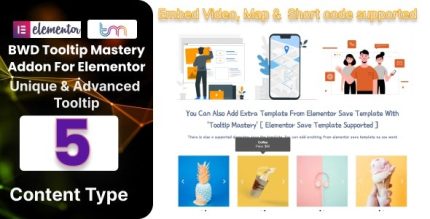
BWD Tooltip Master Addon for Elementor is a WordPress plugin that helps you add captivating, interactive tooltips to your pages using Elementor. It solves the common problem of explaining details without cluttering your layout by giving users clear guidance exactly when they need it. With a simple drag-and-drop workflow inside Elementor, you can build tooltip interactions faster and keep your design process focused. The addon also supports customization, so tooltips can match your site’s style and improve overall user experience, including accessibility-oriented clarity.
Whether you’re designing landing pages, product sections, or informational content, this Elementor tool extends your toolkit with interactive help that can support higher engagement and stronger conversions through better on-page communication.
Main Features
- Drag-and-drop tooltip builder — Create tooltip elements in the Elementor editor without complex setup.
- Seamless Elementor integration — Work directly within Elementor so your tooltips align with your page design flow.
- Custom tooltip content — Add informative text to explain features, steps, or key details.
- Design customization — Adjust tooltip appearance to fit your theme, typography, and visual style.
- Interactive user guidance — Present extra context through tooltip interactions instead of adding more page clutter.
- Element-focused placement — Attach tooltips to the relevant sections or elements you want users to understand.
- Improved readability on pages — Keep supporting information organized and easier to scan.
- Accessibility-focused clarity — Make important explanations available on demand, helping users navigate content.
Benefits
- Higher engagement — Tooltips encourage interaction by revealing helpful information when users engage with your content.
- Better conversions — Clear guidance reduces confusion around key features and calls to action.
- Cleaner UX — You can support users without overcrowding your layout with long explanations.
- Faster page building — Drag-and-drop creation streamlines your workflow inside Elementor.
- Consistent branding — Custom styling helps tooltips match your existing theme and design system.
Who is it suitable for?
- WordPress site owners using Elementor to design pages.
- WooCommerce stores that want clearer product and checkout explanations.
- Agencies building client websites with reusable, consistent UI elements.
- Bloggers and content creators who add helpful context without adding clutter.
- Landing page creators focused on improving comprehension and conversion paths.
- Online education or SaaS teams presenting features that benefit from on-demand explanations.