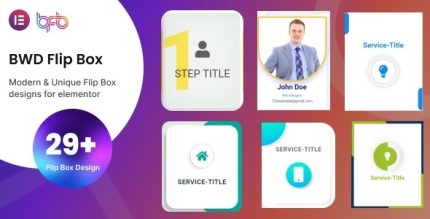
BWD Flip Box 2.4 – Addon for elementor

Experience interactive content with BWD Flip Box, a WordPress widget addon for Elementor that rotates to reveal information with rotation styles including right/left/top/bottom. It boosts engagement and conversion by presenting content in a dynamic, eye-catching way. Easy to use, with smooth animations and seamless integrations—perfect to showcase features, testimonials, or FAQs. Explore today.
Description
BWD Flip Box is a WordPress plugin/widget addon for Elementor that helps you present information with an interactive flip-and-rotate effect. Instead of showing all details at once, it rotates to reveal the next piece of content in a smooth, eye-catching way. This solves the challenge of making key details—like features, testimonials, or FAQs—more engaging and easier to scan. It fits naturally into Elementor workflows, so you can build pages and templates faster while keeping your layout consistent.
Main Features
- Elementor widget addon — Adds flip box functionality directly inside the Elementor editor for WordPress sites.
- Interactive rotate reveal — Rotates to display additional information on demand.
- Rotation style controls — Choose how the flip effect behaves to match your page design.
- Right-Side rotate style — Reveals content by rotating from the right side for a clear directional motion.
- Left-side rotate style — Reveals content by rotating from the left side to suit different layout needs.
- Top rotate style — Flips upward to show the next content section with a distinct animation direction.
- Bottom rotate style — Flips downward to present details with an alternate motion orientation.
- Smooth animations — Uses animated transitions that keep the interaction feeling fluid and polished.
- Content-focused presentation — Works well for showcasing features, testimonials, and FAQs in a dynamic format.
Benefits
- Higher engagement — Interactive rotation encourages visitors to interact with content instead of scrolling past it.
- Improved clarity — Split front/back messaging helps users understand details in a more structured way.
- Better UX — Smooth motion and clear reveal directions make information consumption feel more natural.
- Stronger conversion paths — Presenting benefits and FAQs in an attention-grabbing format supports more confident user decisions.
- Reusable page sections — The flip effect is ideal for repeatable modules across landing pages, templates, and content blocks.
Who is it suitable for?
- WordPress sites using Elementor page builder
- WooCommerce stores that want interactive product or benefit highlights
- Agencies building marketing pages and template kits
- Service providers featuring features, testimonials, and FAQ blocks
- Content creators publishing educational or frequently asked questions
- Small business landing pages that need better information scanning