BuddyBoss Activity Sharing 2.1.0
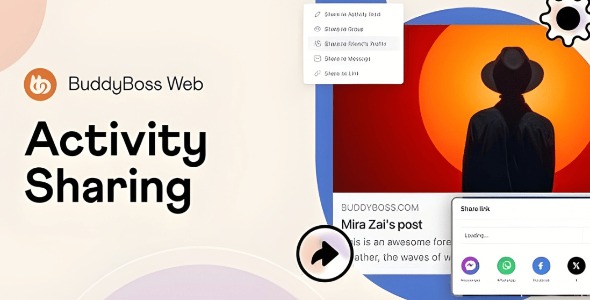
BuddyBoss Activity Sharing is a WordPress plugin that lets members quickly share any activity post to feeds, groups, friends’ profiles, or private messages with one click. It boosts engagement and reach by turning passive readers into active ambassadors, with easy customization for admin control and seamless BuddyBoss integration.
Description
BuddyBoss Activity Sharing is a WordPress plugin designed specifically for BuddyBoss community sites. It helps members share any activity post with a single click to feeds, groups, friends’ profiles, or private messages—turning passive readers into active participants. By adding a dedicated “Share” button alongside the existing Like and Comment options, it keeps sharing intuitive inside the BuddyBoss interface. The plugin also supports extending visibility beyond your platform through direct links and sharing to major social networks. With admin controls for where sharing is allowed and whether custom messages can be included, it helps you keep community interaction aligned with your rules.
Main Features
- One-click activity sharing — Lets members share an activity post instantly to common BuddyBoss destinations.
- Share to feeds — Publishes shared posts to members’ activity feeds for quick discovery.
- Share to groups — Enables posting to group spaces so relevant conversations stay localized.
- Share to friends’ profiles — Sends shared activity to specific profiles to encourage direct interaction.
- Share via private messages — Allows members to distribute activity content through BuddyBoss DMs.
- BuddyBoss-integrated “Share” button — Adds a share control next to Like and Comment for a consistent UX.
- Admin-controlled sharing rules — Lets administrators choose where sharing is permitted.
- Optional custom messages — Supports member-added text when sharing to keep context clear.
- Direct link sharing — Lets users copy a link to the activity for external sharing and promotion.
Benefits
- Higher engagement — Encourages more interactions by making sharing effortless at the activity level.
- Greater content reach — Expands visibility when activity is distributed across feeds, groups, and profiles.
- Improved community UX — Keeps actions in the same BuddyBoss workflow with an intuitive “Share” button.
- Better relevance in groups — Helps content flow to the right spaces, supporting stronger group conversations.
- More meaningful context — Optional custom messages make shared posts easier to understand.
- Aligned governance — Admin settings help maintain consistent sharing behavior with your community goals.
Who is it suitable for?
- BuddyBoss community owners running social or interest-based networks
- Online course communities that rely on activity updates and discussions
- WooCommerce-free membership sites using BuddyBoss for engagement
- Agencies managing multiple BuddyBoss builds who need consistent member UX
- Content-driven groups that want to turn members into distribution partners
- Admins seeking controlled sharing across feeds, groups, profiles, and DMs