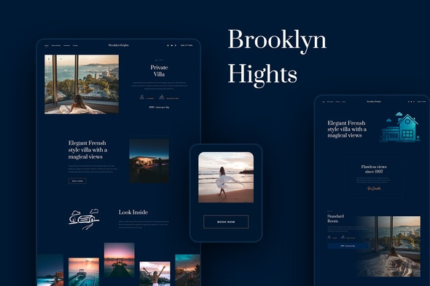
Brooklyn Heights – Private Villa & Hotel Elementor Template Kit

| Cetegory: | Travel & Accomodation |
|---|---|
| Full Preview: | Brooklyn Heights |
| More Info: | Themeforest |
| HOW TO INSTALL |
Description
Brooklyn Heights is a chalet / hotel / holiday home / private villa / apartment / properties / estate / single property theme and its a perfect tool for beginners and for people who want to make the website beautiful and make it in the easiest way. It include all pages and blocks that you will need to create your website. Brooklyn Heights combine all the tools youl need to grow your business.
Documentation
See How to Use the Template Kit Import Plugin for Installation help
For full setup see the online documenation.
Included Templates
- 6 Home Layouts
- Amenities
- Contact
- Rooms and Rates
- 404 Page
- Book your stay Popup
- Header & Footer for Theme Builder
- Blog
- Single Post for Theme Builder
- Post Content block for Elementor Posts
- Single listing
- Single listing light
This kit requires the Elementor Pro upgrade for some templates and features (not included)
Fonts
- Montserrat
- Prata
How to Install:
- Install and Activate the Envato Elements plugin from Plugins > Add New in WordPress
- Do not unzip
- Go to Elements > Installed Kits and click the Upload Template Kit button.
- Before importing a template, ensure the Install Requirements button is clicked to activate required plugins
- For best results, do not import more than one template at a time.
For further support, go to Elementor > Get Help in WordPress menu.
Images Photos are free to use from Unsplash via Creative Commons 0 license.
Support & Updates
If you have any issues or suggestions, please leave a comment for us here.
Demo data
*Blog Content is not included you will need to add a few posts to WordPress before post content will appear in templates.