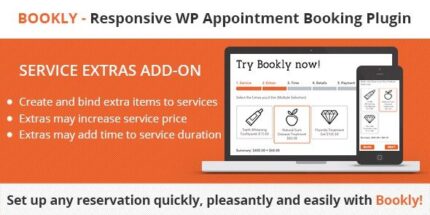
Bookly Service Extras (Add-on) 6.8

Bookly Service Extras (Add-on) lets customers add extra items to selected services during booking, displaying an Extras step after Service. This boosts revenue with minimal friction by upselling add-ons right in the Bookly form. Ideal for WordPress users seeking seamless integration, easy setup, and a smoother checkout—explore today.
Description
Bookly Service Extras (Add-on) for WordPress lets your customers add extra items to selected services during booking. Instead of forcing guests to confirm add-ons in notes or at checkout, it adds an “Extras” step directly after the “Service” step in the Bookly booking form. This makes optional choices clear, keeps the booking flow focused, and helps capture additional selections while the customer is still engaged. It’s designed for a seamless setup so your Bookly experience stays consistent from start to finish.
Main Features
- Service-based extras — Assign extra items to specific services so only relevant add-ons appear.
- New “Extras” step — Customers see an additional step after selecting a service in the Bookly form.
- Extra item selection — Bookers can choose the add-ons they want as part of the same booking process.
- Integrated Bookly flow — Upsell options stay within the existing Bookly UI instead of redirecting to a separate page.
- Setup after installation — After installing and configuring the add-on, the extras step is available automatically in the form.
- Clear booking details — Extras are collected alongside the selected service, reducing ambiguity at confirmation time.
- Works with WordPress bookings — Designed to enhance Bookly’s booking experience within a WordPress site.
Benefits
- Higher average booking value — Captures add-on choices during the booking session.
- Less friction — Keeps extras selection in the same flow, avoiding extra steps for customers.
- Better UX — The “Extras” step makes options easy to find and understand.
- More accurate orders — Customers confirm extras up front, helping reduce follow-up questions.
- Conversion-friendly clarity — Informs users about available extras right when they choose a service.
Who is it suitable for?
- Beauty and salon service providers that offer optional add-ons
- Barber shops with service variations and extra options
- Health, wellness, or spa appointments with selectable extras
- Training sessions or workshops needing add-on materials
- Any WordPress site using Bookly for service bookings
- Small businesses aiming to streamline the booking-to-confirmation process