Blog Layouts for Elementor 1.7.0 – WordPress Plugin

Blog Layouts for Elementor enables you to craft stunning blog layouts in minutes using Elementor, with 6 classic and 6 carousel styles across two widgets and full customization options. This type: plugin for WordPress boosts engagement with responsive design, 200+ animations, and easy post-type support, plus smooth pagination. Explore it today.
Description
Blog Layouts for Elementor is a WordPress plugin that helps you build attractive blog pages directly with Elementor. It’s designed to solve the common “layout setup” problem by giving you ready-to-use blog designs you can customize in minutes, rather than starting from scratch. Since it works as an Elementor add-on, you can use it alongside your existing Elementor theme building workflow.
The plugin includes two Elementor widgets—Classic and Blog Carousel—each offering 6 distinct styles. With responsive controls, pagination options, and animation effects, you can create scroll-friendly, engaging post listings that match how your audience browses content.
Main Features
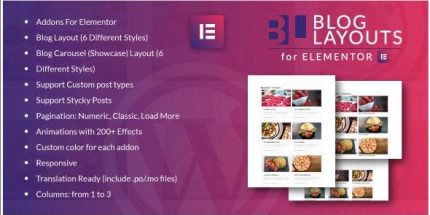
- Two Elementor widgets — Classic blog layout and Blog Carousel layout for different presentation styles.
- 12 total style options — 6 classic and 6 carousel styles to vary your blog presentation.
- Custom post type support — Display posts from custom post types, not just the default blog entries.
- Sticky posts support — Keep featured (sticky) posts visible according to your WordPress settings.
- Pagination modes — Choose numeric, classic, or load more pagination behaviors.
- 200+ animation effects — Add animation styles to improve visual rhythm and attention.
- Per-addon color customization — Apply custom colors for the addon to match your brand or theme.
- Responsive layout — Ensure blog listings adapt to different screen sizes.
- Grid columns from 1 to 3 — Control the number of columns to fit your layout needs.
- Translation ready — Includes .po/.mo files for multilingual setups.
Benefits
- Faster page building — Prebuilt Elementor widgets reduce time spent designing blog archives and post lists.
- Better browsing experience — Responsive layouts, carousel options, and smooth pagination improve how visitors explore posts.
- More engaging presentation — Animation effects and style variations help increase interaction with your content.
- Consistent branding — Custom colors and layout choices allow your blog to match your theme and site design.
- Flexible content coverage — Custom post type support lets you reuse the same design for multiple content types.
- More accessible UX structure — Controlled columns and layout options support clean, scannable formatting.
Who is it suitable for?
- WooCommerce product blogs and editorial sections that need attractive post listings.
- WordPress agencies building Elementor-based websites for clients.
- Content creators who want fast blog archive and category layouts.
- Online publication or magazine sites needing classic and carousel-style post grids.
- Websites using custom post types beyond standard posts.
- Multilingual blogs that require translation-ready interfaces.