BizGUE – Business Elementor Template Kit
| Cetegory: | Business & Services |
|---|---|
| Full Preview: | BizGUE |
| More Info: | Themeforest |
| HOW TO INSTALL |
Description
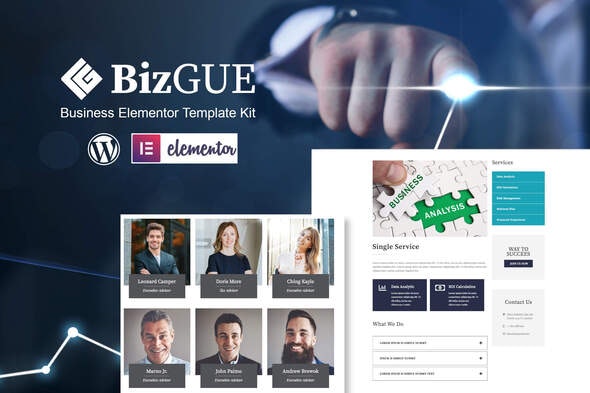
BizGUE Business Elementor Template Kit is collection of template for your business go live and flexible way. This template has beautifull and unique design that will be best suited for your online web presence. It has 100% responsive design and tested on all major handheld devices.
Kits contains design that are compatible with your Elementor page builder. You can design responsive web pages within WordPress without the need of any other app. And, you dont need to code to use Template Kit.
Why choose BizGUE:
- Zero Coding
- Global theme style included
- Header & Footer Variations
- Working Contact Form
- No Elementor Pro needed
Whats Included in the Zip:
- Home Page design
- Header design
- Footer design
- About page
- Contact Page
- Services Page
- Single Service Page
- Single Post
- Theme Style
- Google fonts
- Plus so much more
How to Install:
- Install and Activate the Envato Elements plugin from Plugins > Add New in WordPress
- Do not unzip
- Go to Elements > Installed Kits and click the Upload Template Kit button.
- Before importing a template, ensure the Install Requirements button is clicked to activate required plugins
- For best results, do not import more than one template at a time.
I really enjoyed creating these layouts using Elementor and for Elementor, and I hope you find them easy to use.
This Template Kit uses demo images from Envato Elements. You will need to license these images from Envato Elements to use them on your website, or you can substitute them with your own.
- https://www.twenty20.com/photos/a26dd069-39b1-4979-a788-c6b1137d9c09
- https://www.twenty20.com/photos/6ed78a26-798e-456d-9da7-b356cc8399ad
- https://elements.envato.com/image-4U7682X
- https://elements.envato.com/image-PAM5XG8
- https://www.twenty20.com/photos/77c28b8f-b213-4564-8678-dd5393621fb2
- https://www.twenty20.com/photos/18fc7601-512f-4e1e-9797-67f7216a458c
- https://www.twenty20.com/photos/13905813-b7ce-4c03-8523-990305bae665
- https://www.twenty20.com/photos/296252e0-d743-45b4-9591-0187aec4991c
- https://elements.envato.com/image-ZKA6TFS
- https://www.twenty20.com/photos/d401d053-c532-40a5-a7da-59e4a40a3f72
- https://www.twenty20.com/photos/f96b6d4a-5889-4a56-be43-827805fa045d
- https://www.twenty20.com/photos/92953900-69fb-4c95-9ea5-42d2688fab91
- https://elements.envato.com/happy-young-startup-owner-standing-in-office-PAUPQE3
- https://www.twenty20.com/photos/7c34e7c0-5b36-4ac6-bb3f-09e16f14b21b
- https://www.twenty20.com/photos/2394446c-24f8-4348-9d75-998963d14586
- https://www.twenty20.com/photos/8c2457d2-ac4e-43cd-9857-9cdaf3f0877e
- https://www.twenty20.com/photos/5a7c4fc2-d481-45e7-a90a-b00959515678
- https://www.twenty20.com/photos/9fcd6c94-006a-4265-b75d-e7c9152181ea
- https://elements.envato.com/smiling-group-of-ethnically-diverse-professional-E54D7RY
- https://elements.envato.com/image-P87DSEN
- https://www.twenty20.com/photos/d7ed97ca-d185-4d06-b6b8-ce181b02576e
- https://www.twenty20.com/photos/516cac8e-40a6-40f6-b02c-1b8aca795022
- https://www.twenty20.com/photos/89c78fad-1027-40ab-9323-e02aea049fe4
- https://elements.envato.com/image-P9KBAG6
- https://www.twenty20.com/photos/329f9d74-02a0-4081-b7b7-3e0c93a0f830
- https://www.twenty20.com/photos/affee35c-4376-4f66-b969-d9df6d3718ea
- https://www.twenty20.com/photos/c45b7a4e-4958-47e7-92be-caad5028a680
- Install and Activate the following Template Kit Import plugin. And upload the downloaded package from themeforest. Thats All!
- Contact Form 7 data: Please dowonload Contact Form 7 and Menu Navigation.
- More information