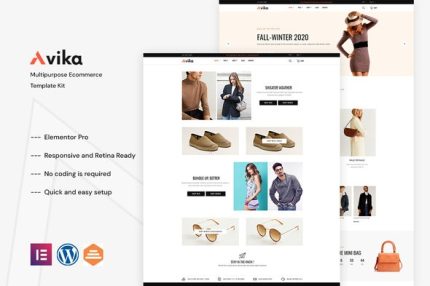
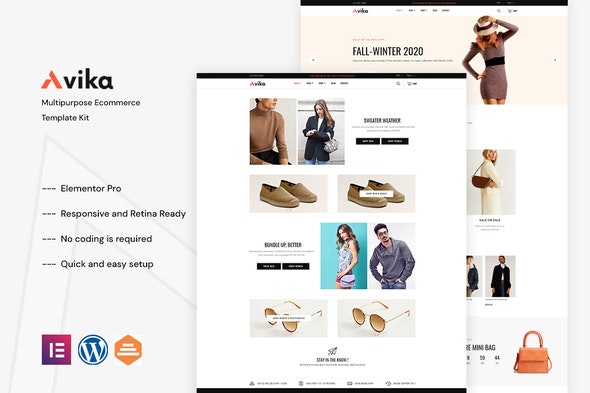
Avika – Multipurpose eCommerce Elementor Pro Template Kit
| Cetegory: | Fashion & Beauty |
|---|---|
| Full Preview: | Avika |
| More Info: | Themeforest |
| HOW TO INSTALL |
Description
Version 1.0.0 WordPress 5.x tested
Elementor Builder ( Free ) Save $49
Completely free with Elementor ( FREE ) You have full Template Kits like Demo
Avika is an amazing new creative fashion shop WordPress Elementor Template Kit. Since its compatible with WooCommerce, the kit will be a great option if you wish to sell things via your website. Also, Avika works flawlessly on various screen size devices. This Template was created for Elementor and Elementor Pro and can be easily edited in Elementor.
Kit Key Features:
- No Coding Knowledge needed
- Header & Footer Builder Included
- One Click Template Import
- Unique and Modern Style.
- Clear and Clean Layout
- Cross browser compatible
- Post Widget
- Carousel Slide Box ( Create sliders with anything )
- Ultra Responsive and Retina Ready
- Compatible with most WordPress themes
- Optimized for search engines
Required Plugins(included) :
Elementor (Free)
Themesflat Addons For Elementor
ElementsKit Lite
WooCommerce
Elementor Pro upgrade is required for most templates and shop features (not included)
How to Install:
- Install and Activate the Envato Elements plugin from Plugins > Add New in WordPress
- Do not unzip
- Go to Elements > Installed Kits and click the Upload Template Kit button.
- Before importing a template, ensure the Install Requirements button is clicked to activate required plugins
- For best results, do not import more than one template at a time.
- Go to Pages and create a new page and click Edit with Elementor
- Click the gear icon at lower-left of the builder to view page settings and choose Elementor Full Width and hide page title
- Click the gray folder icon to access My Templates tab and then Import the page youd like to customize
For further support, go to Elementor > Get Help in WordPress menu.
This Template Kit uses demo images from Envato Elements. You will need to license these images from Envato Elements to use them on your website, or you can substitute them with your own.
- https://elements.envato.com/image-PKG2MW6
- https://elements.envato.com/image-P4TW4C4
- https://elements.envato.com/image-Z5NMRLD
- https://elements.envato.com/image-PU9DAMW
- https://elements.envato.com/image-A24RN5Y
- https://elements.envato.com/image-GQBVGYQ
- https://elements.envato.com/image-PEDJCA6
- https://elements.envato.com/image-298MZUT
- https://elements.envato.com/image-9UU5U3B
- https://elements.envato.com/image-PNL67M5
- https://elements.envato.com/image-P9W5JUF
- https://elements.envato.com/image-JBECT4P
- https://elements.envato.com/image-PLBHAXA
- https://elements.envato.com/image-P2NVLAK
- https://elements.envato.com/image-PP3LQCV
- https://elements.envato.com/image-8U3XBRE
- https://elements.envato.com/image-6NBAW27
- https://elements.envato.com/image-W6UGXVY
- https://elements.envato.com/image-J4EBTLM
- https://elements.envato.com/image-486Z9NG