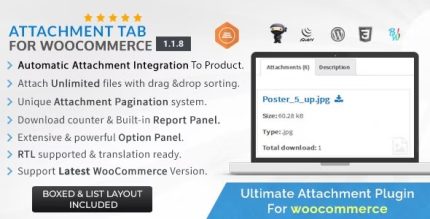
Attachment Tab For Woocommerce 1.3.8

Attachment Tab For WooCommerce adds a dedicated attachments tab to product pages, letting buyers easily access manuals, PDFs, and files. It boosts conversions by building trust and streamlining resource access, with seamless integration and a clean, user-friendly design. Ideal for WooCommerce stores needing organized product resources—open the plugin and explore the benefits. Type: WooCommerce
Description
Attachment Tab For WooCommerce is a plugin that adds a dedicated attachments tab to your WooCommerce product pages. It helps solve a common issue: shoppers can’t easily find manuals, PDFs, or other product-related files scattered across the page.
With automatic creation of a custom, dedicated tab, all attachments connected to each product are grouped in one place. This creates a clearer buying experience and makes key resources accessible without extra clicks or page searching, especially when used alongside a WooCommerce theme or an Elementor-built product layout.
Main Features
- Dedicated attachments tab — Automatically adds a separate tab on product pages for easy resource access.
- Auto-generated custom section — Creates a custom attachments area that remains organized per product.
- Supports attaching files — Lets you attach files directly for use in the product description context.
- Product-specific file grouping — Displays attachments related to the current product, keeping content relevant.
- Clean, user-friendly layout — Presents resources in a simple tabbed format that’s easy to scan.
- Seamless WooCommerce integration — Works within WooCommerce product pages so shoppers can access files during the buying journey.
- Designed for common documents — Ideal for manuals, spec sheets, and PDF resources linked to products.
Benefits
- Faster access to resources — Shoppers reach manuals and documents quickly through a dedicated tab.
- More trust during purchase — Clear availability of product documentation reduces uncertainty.
- Higher conversions — Better clarity supports decision-making and can improve add-to-cart outcomes.
- Improved UX — Tabbed organization keeps product pages cleaner and easier to navigate.
- Streamlined content management — Centralizes attachments per product instead of mixing files into general text.
Who is it suitable for?
- WooCommerce stores selling products with manuals or technical documents
- Web agencies building WooCommerce sites with Elementor or custom themes
- Brands that need consistent presentation of PDFs, datasheets, and related files
- Online retailers with a large catalog where files must stay product-specific
- Education and training marketplaces offering downloadable course materials