Archzilla 1.1.0 – Minimal WordPress Theme for Interior Design and Architecture
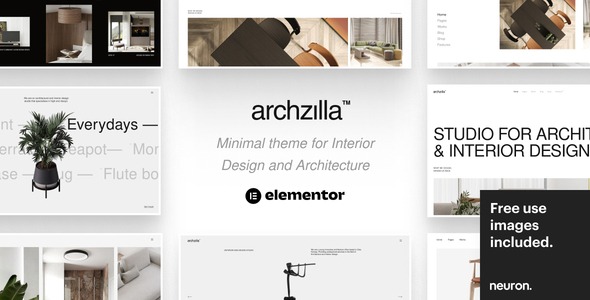
Archzilla is a modern WordPress theme that turns your portfolio into a stunning, client-winning showcase with a drag-and-drop builder. It offers a rich set of pre-made homepages, a beginner-friendly interface, and powerful WooCommerce tools to spin up exquisite online stores. Explore and unleash your creative potential.
Description
Archzilla is a modern WordPress theme designed to turn your portfolio into a clean, client-winning showcase. It helps you solve the common problem of presenting work in an engaging way—without complex site-building steps.
With a drag-and-drop page builder and a beginner-friendly interface, you can create distinctive layouts faster, whether you start from pre-made homepages or build from scratch. Archzilla also supports WooCommerce, so you can extend your showcase into an online store alongside your portfolio and content.
Main Features
- Drag-and-drop builder — Design pages visually by arranging sections without needing code.
- Pre-made homepage layouts — Import ready-to-use homepage concepts to launch your site quickly.
- Portfolio-first structure — Organize and present your best work in a polished, professional format.
- Build from scratch — Create unique pages and layouts when you want full creative control.
- Beginner-friendly interface — Keep editing and page creation approachable for new WordPress users.
- Multiple concept-ready sections — Use modern, agency-style design building blocks for different styles of presentation.
- WooCommerce support — Set up online selling within the same theme used for your portfolio.
- Store-oriented templates — Provide a practical foundation for showcasing products and building an eCommerce storefront.
- Blog-ready presentation — Add content to share knowledge alongside your portfolio work.
Benefits
- Higher client confidence — Portfolio layout and styling help prospects quickly understand your value.
- Faster page creation — Drag-and-drop editing and pre-made homepages reduce setup time.
- Better user experience — A straightforward interface makes navigation and design feel more intuitive.
- More business opportunities — WooCommerce support lets you go beyond showcasing into selling.
- Flexible branding — Build from scratch or adapt ready concepts to match your creative direction.
Who is it suitable for?
- Creative agencies and multi-concept studios
- Freelancers showcasing design, art, or media work
- WordPress users building a portfolio plus blog
- WooCommerce store owners who want a visual portfolio
- Digital studios and entrepreneurs launching a client-focused site
- Content creators who also want to sell products