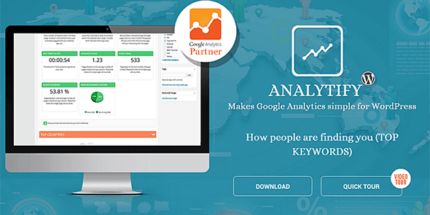
Analytify Pro 9.1.2 – Core Plugin

Analytify Pro turns Google Analytics into a single, powerful WordPress plugin that delivers real-time and universal tracking, social stats, and enhanced e-commerce insights right from your dashboard. It streamlines data into front-end reports, boosts decision-making with clear visuals, and seamlessly integrates custom post types for deeper site analytics.
Description
Analytify Pro is a WordPress plugin that connects your site to Google Analytics and consolidates reporting into one place. It helps you replace scattered analytics views with clear dashboard insights for key metrics, including real-time activity, audience behavior, and social performance.
With universal tracking and enhanced e-commerce tracking, it turns shopping and product events into actionable front-end reports. You can also gain deeper visibility into custom post types, making it easier to analyze content beyond standard pages and posts.
Built to work with the WordPress ecosystem, including themes and page layouts, Analytify Pro helps you interpret data faster so you can make smarter updates based on what visitors actually do.
Main Features
- Real-time stats — View current visitor activity and behavior as it happens.
- Universal tracking — Track user journeys using Google Analytics in a streamlined setup.
- Social media stats — Monitor performance signals from social channels alongside site analytics.
- Enhanced e-commerce tracking — Capture shopping interactions for more complete commerce reporting.
- Front-end reporting — Present key analytics in reports that can be viewed from the site’s front-end.
- Dashboard visual insights — Use clear summaries and visuals to interpret data quickly.
- Custom post type support — Track and analyze content types created with WordPress custom post types.
- Universal analytics reporting — Consolidate multiple analytics views into one plugin experience.
Benefits
- Faster decisions — Real-time and consolidated reporting reduces time spent searching for metrics.
- Better e-commerce understanding — Enhanced commerce tracking supports more informed merchandising and conversion improvements.
- Improved UX insights — Clear front-end reports help you understand how visitors engage with your site.
- More accurate content analysis — Custom post type tracking supports deeper evaluation of non-standard content.
- Stronger marketing alignment — Social stats help you connect traffic performance to social initiatives.
Who is it suitable for?
- WooCommerce stores that want clearer e-commerce analytics in WordPress.
- Content sites and blogs tracking engagement across multiple content types.
- Agencies managing analytics for multiple WordPress client websites.
- Website owners using custom post types for specialized publishing.
- Marketing teams that need real-time and social performance visibility.
- Online businesses optimizing conversion based on Google Analytics data.