AI-Powered Document Management 5.0.0
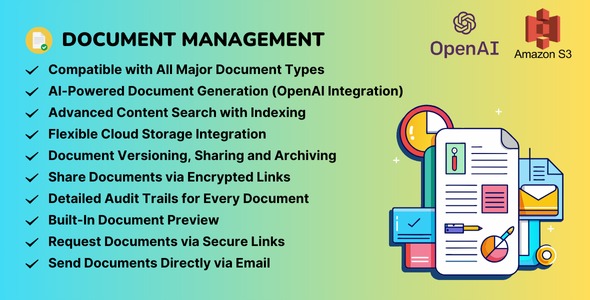
AI-Powered Document Management helps teams organize, store, and share documents across WordPress with seamless previews for Office, PDFs, images, audio, and video. This all-in-one solution saves time, boosts collaboration, and ensures easy access, thanks to native WordPress integration and versatile file support. Discover effortless document control today.
Description
AI-Powered Document Management is a WordPress plugin built to help teams organize, store, and share documents inside their WordPress site. Instead of juggling separate storage links, it keeps common business and content files in one place with an integrated workflow. The solution focuses on usability by providing seamless previews for Office documents, PDFs, images, audio, and video—so visitors can review content without needing to leave your site.
With native WordPress integration, the plugin fits naturally into how you publish and manage pages. It supports versatile file formats and helps streamline document control for everyday team collaboration, improving how stakeholders access and work with shared materials.
Main Features
- Native WordPress integration — Manage documents directly within WordPress without breaking your existing publishing flow.
- All-in-one document organization — Organize, store, and share documents in a centralized way for your team and site visitors.
- Built-in Office document previews — View compatible Microsoft Office files with in-site previews.
- PDF preview support — Display PDF content directly so users can read without additional downloads.
- Image previewing — Preview image files in context to keep content browsing smooth.
- Audio and video previews — Support multimedia files with embedded-friendly previews for faster review.
- Seamless file viewing experience — Reduce friction by keeping users on your WordPress site while reviewing documents.
- Multi-format document handling — Work with a wide range of file types beyond single-purpose media libraries.
Benefits
- Time savings — Fewer steps to open, share, and review documents during everyday workflows.
- Better UX — Built-in previews keep users engaged by showing Office files, PDFs, images, audio, and video inline.
- Improved collaboration — Teams can share consistent resources through WordPress, reducing scattered links and attachments.
- Cleaner document control — A centralized approach makes it easier to manage different file types together.
- More accessible content — Visitors can access the right format without knowing which tool to use.
Who is it suitable for?
- WordPress teams that need a shared document space for internal and external sharing.
- Companies publishing policies, reports, and office documents on their WordPress site.
- Agencies managing client content that spans Office files, PDFs, images, and media.
- Knowledge bases and resource hubs that benefit from inline document previews.
- Education and training sites that host mixed-format course materials.
- Content-focused websites that want smoother document access without leaving the site.