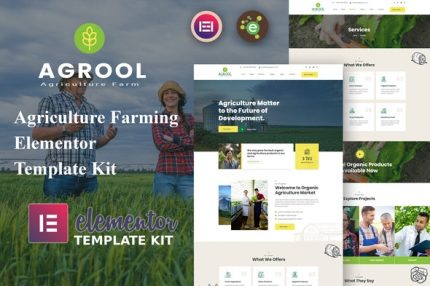
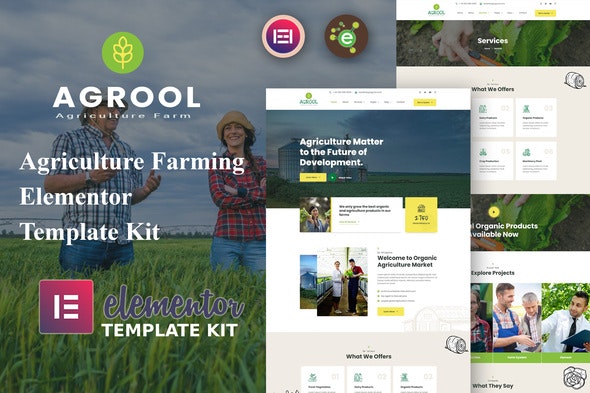
Agrool – Agriculture Farming Elementor Template Kit
| Cetegory: | Food & Drink |
|---|---|
| Full Preview: | Agrool |
| More Info: | Themeforest |
| HOW TO INSTALL |
Description
Introduction
Agrool Agriculture Farming Elementor Template Kit that is perfectly designed for all kinds of the farming business, including organic food, organic fruits, and vegetables, agriculture farm, agricultural company, or basically everything related to an eco-friendly lifestyle.
Agrool Templates
Pages
- Home Page
- About Page
- Services Page
- Services Details Page
- Projects Page
- Team Page
- Blog Page
- Blog Single Page
- Contact Us Page
- Error 404 Page
- Coming Soon Page
Sections
- Header Template
- Footer Template
- Hero Section
- About Section
- Services Section
- Video Section
- Counter Section
- Projects Section
- Testimonial Section
- Client_Carousel Section
- CallToAction Section
- Team Section
- Contact Section
Agrool Features
- Elementor Pro is Required
- 11 Incredible Template Pages
- 13 different sections
- 24 Awesome Elements Templates
- Clean, Professional, and Unique Design
- Google Fonts easily expand to 600 Google Fonts
- and much more!
Required Plugins
- Elementor
- ElementsKit Lite
- Essential Addons for Elementor
- PowerPack Lite for Elementor
Elementor Pro upgrade is required for some templates and features (not included)
How to Install:
- Install and Activate the Envato Elements plugin from Plugins > Add New in WordPress
- Do not unzip
- Go to Elements > Installed Kits and click the Upload Template Kit button.
- Before importing a template, ensure the Install Requirements button is clicked to activate required plugins
- For best results, do not import more than one template at a time.
- Go to Pages and create a new page and click Edit with Elementor
- Click the gear icon at lower-left of the builder to view page settings and choose Elementor Full Width and hide page title
- Click the gray folder icon to access My Templates tab and then Import the page youd like to customize
For further support, go to Elementor > Get Help in WordPress menu.
This Template Kit uses demo images from Envato Elements. You will need to license these images from Envato Elements to use them on your website, or you can substitute them with your own.
- https://elements.envato.com/image-LK9GSXK
- https://elements.envato.com/image-9PNX5DX
- https://elements.envato.com/image-ZV9T946
- https://elements.envato.com/image-EV7S9ST
- https://elements.envato.com/image-4CLFHBM
- https://elements.envato.com/image-EZ9W7HB
- https://elements.envato.com/image-2K3GCW8
- https://elements.envato.com/image-E83XKCS
- https://elements.envato.com/image-URMUBDU
- https://elements.envato.com/image-4LH3GB9
- https://elements.envato.com/image-FFWE3TA
- https://elements.envato.com/image-FZ8279W
- https://elements.envato.com/image-EL45S6F
- https://elements.envato.com/image-H8ZUK52
- https://elements.envato.com/image-WL3UT47
- https://elements.envato.com/image-HWA95PJ
- https://elements.envato.com/image-K54YWKG
- https://elements.envato.com/image-R7N5A6E
- https://elements.envato.com/image-PWW4LKQ
- https://elements.envato.com/image-XLMJ9PS
- https://elements.envato.com/image-J5XC3JG
- https://elements.envato.com/image-D5QEZSX
- https://elements.envato.com/image-CY66X5M