Advanced Masonry Portfolio Builder 1.0.1
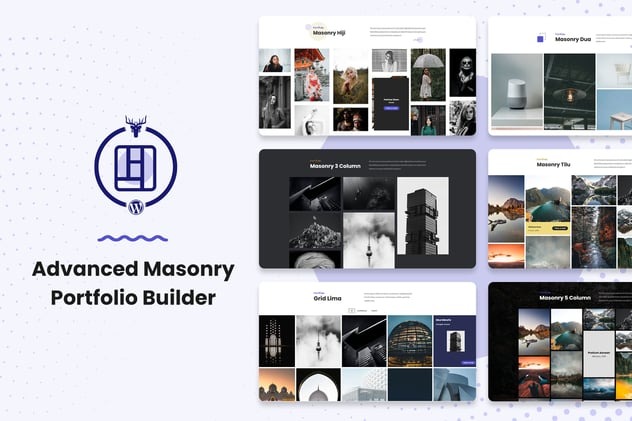
Advanced Masonry Portfolio Builder helps you create stunning, professional portfolios with a sleek grid layout—no coding required. This WordPress plugin offers effortless customization and a visual wow factor, boosting gallery engagement and client impressions. Ideal for creatives seeking easy, responsive Masonry layouts with seamless integration—explore it today.
Description
Advanced Masonry Portfolio Builder is a WordPress plugin for creating professional portfolio galleries with a sleek masonry grid layout. If you want a visually engaging gallery that highlights your work, this plugin helps you design it without writing code. The builder focuses on clean presentation and straightforward customization, so you can publish an attractive portfolio faster. With responsive masonry formatting, your images and projects can keep their grid structure across devices—supporting better browsing and stronger client impressions.
Main Features
- Masonry grid portfolio layout — Displays portfolio items in a masonry-style grid for a dynamic, gallery-like look.
- No-code customization — Configure the portfolio appearance without needing programming skills.
- Sleek grid presentation — Presents images and portfolio entries in a structured, polished layout.
- Responsive masonry formatting — Keeps the grid arrangement readable and consistent on different screen sizes.
- Easy visual adjustments — Fine-tune the look of your masonry portfolio using the plugin’s interface.
- Portfolio gallery creation — Build and organize collections of work into a single portfolio layout.
- WordPress friendly workflow — Designed to help you place a portfolio on your site using standard WordPress page/post usage.
- Professional-first design — Helps present work in a refined format that supports credibility and trust.
Benefits
- More gallery engagement — Masonry presentation can encourage visitors to explore more work.
- Better user experience — Responsive layouts improve readability and navigation on mobile and desktop.
- Faster publishing — No-code setup reduces time spent turning drafts into a finished portfolio.
- Stronger first impressions — A clean, professional grid helps impress clients and stakeholders.
- Easier updates — Adjusting your portfolio presentation becomes simpler as your project list grows.
Who is it suitable for?
- Creative freelancers building a visual portfolio for their services.
- Designers and photographers who need a masonry-style gallery layout.
- Agencies showcasing multiple client projects in one place.
- WordPress site owners updating a portfolio or case study section.
- Content creators who want an attractive way to present work collections.
- Small businesses that want a modern portfolio on their website.