Advanced Masonry Blog Layout Design 1.0
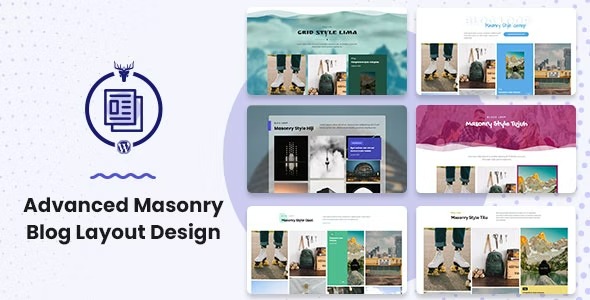
Advanced Masonry Blog Layout Design empowers your WordPress blog with a flexible masonry grid that adapts to content and devices. Enjoy a faster, cleaner visual flow and improved reader engagement with optimized layouts. Perfect for designers seeking easy customization, seamless integration, and a modern, Pinterest-like look—explore the plugin today.
Description
Advanced Masonry Blog Layout Design is a WordPress plugin add-on that enhances blog presentation with a flexible masonry grid. It helps solve the “uniform grid” problem by arranging posts in a Pinterest-like flow that adapts to different content sizes. This layout approach improves readability and makes scanning a page feel smoother on both desktop and mobile.
Built as an additional function of the Blog Layout Awesome WordPress plugin, it expands your layout options without forcing a complete rebuild of your theme or existing setup. With masonry layout optimization, your blog can achieve a cleaner visual rhythm that supports longer on-page engagement.
Main Features
- Flexible masonry grid — Displays posts in a tiled masonry structure instead of a fixed row layout.
- Content-aware arrangement — Adjusts tile placement so different post formats fit naturally into the grid.
- Responsive layout behavior — Keeps the masonry look consistent across devices and screen sizes.
- Optimized masonry layout — Improves the visual flow so cards feel more balanced and organized.
- Extra customization options — Extends the Blog Layout Awesome plugin with more ways to configure your blog layout.
- Seamless integration — Works as an add-on function within the existing Blog Layout Awesome setup.
- Modern Pinterest-like style — Creates a contemporary browsing experience that emphasizes visual discovery.
- Cleaner page rhythm — Reduces awkward spacing that can occur in rigid grid designs.
Benefits
- Better UX — A masonry flow improves scanning and helps readers find posts faster.
- Higher engagement — The Pinterest-like layout encourages users to keep browsing.
- Improved visual consistency — Content-aware positioning creates a more uniform overall appearance.
- Faster-feeling layout — A cleaner grid structure supports quicker visual comprehension while scrolling.
- Effortless layout upgrades — Add-on integration lets you enhance your blog without redesigning everything.
Who is it suitable for?
- WooCommerce-adjacent blogs that want a more engaging post browsing experience
- Personal blogs and editorial sites with mixed post formats and varying content lengths
- Designers building modern WordPress layouts and templates
- Web agencies managing multiple WordPress sites that need consistent styling upgrades
- Content-focused websites aiming to improve mobile-friendly discovery