Adminify Pro Activity Logs 1.0.7
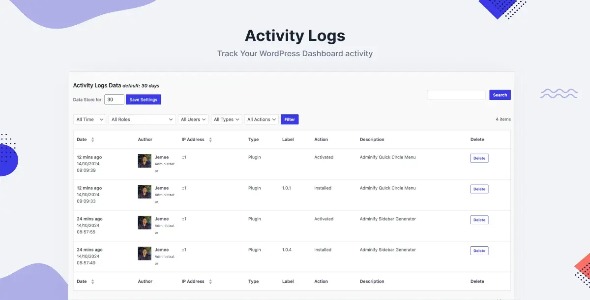
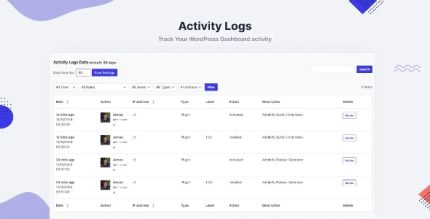
Adminify Pro Activity Logs tracks all dashboard events in WordPress, helping you avoid miscommunication. This addon centralizes activity data for clear audits and faster troubleshooting. Benefit from seamless integration, a clean interface, and reliable accountability—perfect for confident site management.
Description
Adminify Pro Activity Logs is a WordPress plugin addon that records dashboard activities so you can see what happened across your site. When multiple people manage the same WordPress admin area, miscommunication can slow down decisions and make issues harder to diagnose. This activity logs tool centralizes admin activity into one place for clearer review and more reliable accountability.
With a clean interface designed for everyday monitoring, it helps you move from “who did what?” to practical auditing and faster troubleshooting. If you’re building or maintaining sites with themes and page builders like Elementor, the plugin supports your ongoing operations by keeping administrative actions visible and easier to audit.
Main Features
- Dashboard event tracking — Logs WordPress admin dashboard events for better visibility into site activity.
- Centralized activity records — Keeps activity data in one consolidated location instead of scattered notes.
- Clear audit visibility — Provides an at-a-glance view that supports review and internal checks.
- User action accountability — Helps you understand which actions were performed by users with access to the dashboard.
- Clean, manageable interface — Presents log information in a straightforward way for quick reference.
- Faster troubleshooting workflow — Makes it easier to investigate issues by reviewing relevant admin activity.
- Adminify Pro add-on compatibility — Designed to work as an addon within the Adminify Pro experience.
Benefits
- Reduced miscommunication — Less back-and-forth when teams need to confirm what changed in the WordPress dashboard.
- Stronger audit readiness — More consistent internal reviews thanks to centralized activity records.
- Quicker issue diagnosis — Admin activity visibility supports faster troubleshooting and decision-making.
- Better accountability — Clear tracking of dashboard actions improves trust across contributors.
- Smoother site management — Ongoing oversight becomes simpler for teams maintaining active WordPress sites.
Who is it suitable for?
- WordPress sites with multiple admins or editors
- WooCommerce stores that require team-based dashboard management
- Agencies managing several client WordPress installations
- Content teams using Elementor and frequent admin updates
- Membership, LMS, or community platforms with role-based workflows
- Freelancers who want clearer accountability across projects