
ACF Frontend Pro 3.28.37
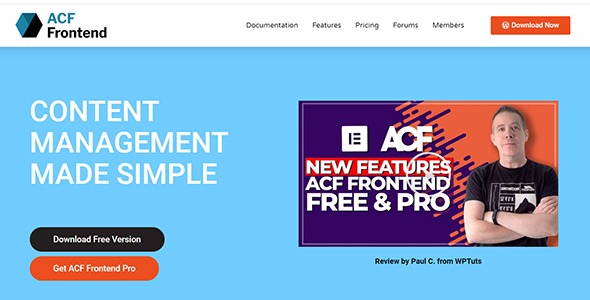
ACF Frontend Pro enables frontend editing in WordPress with Elementor, letting clients update content directly on the page without back-end access. It streamlines workflows, reduces edits back-and-forth, and improves client satisfaction with a clean, intuitive interface. Type: WordPress.
Description
ACF Frontend Pro is a WordPress plugin that brings Advanced Custom Fields (ACF) editing to the frontend. Instead of sending clients into the WordPress back end, it lets them update content directly on the page while they view the site in context.
Built to work with Elementor, this plugin streamlines handoff workflows for agencies and freelancers. Clients can make changes to ACF-driven sections and layout content without waiting for admin access, reducing revision cycles and improving overall content management experience.
Main Features
- Frontend editing for ACF — Enable clients to edit Advanced Custom Fields values directly on the live page.
- Elementor integration — Use your Elementor layouts while exposing the relevant fields for frontend updates.
- Page-context updates — Edit content in the same place visitors see it, helping prevent mistakes caused by navigating the dashboard.
- Client-friendly interface — Provide a clean editing experience so non-technical users can make changes with less friction.
- Role-based control — Limit who can edit content to match your team and client access needs.
- Faster request-to-publish flow — Reduce back-and-forth by letting clients make updates without contacting developers for every change.
- Workflow-friendly handoff — Support smoother transitions from build phase to day-to-day content updates.
- Content structure remains consistent — Keep updates aligned with the ACF field setup used in your WordPress site.
Benefits
- Higher update speed — Cut turnaround time when clients can edit immediately on the page.
- Fewer revision cycles — Page-context editing helps reduce misunderstanding and rework.
- Better client experience — An intuitive frontend workflow improves satisfaction during ongoing site management.
- Less admin workload — Web teams spend less time handling small edits and content requests.
- More consistent UX — Updates stay tied to your ACF field structure, supporting stable layouts and content formatting.
Who is it suitable for?
- WordPress agencies building Elementor sites for clients.
- Freelancers who need a smoother website handoff process.
- Marketing teams managing ACF-powered landing pages and sections.
- Business owners who want updates without WordPress back-end access.
- Teams maintaining content across multiple client websites.
- Organizations using Elementor and ACF to structure reusable content blocks.
