
ACF Child Category Field 1.0.0
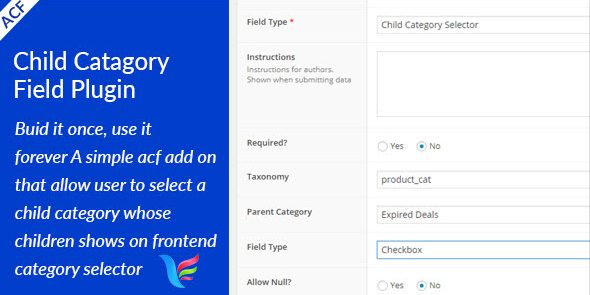
ACF Child Category Field is a WordPress plugin that adds a Child Category selector to Advanced Custom Fields, letting you choose a child category and show its children as front-end values. It simplifies taxonomy management with a smooth UI and tight integration, a strong choice for editors and developers building category-driven sites. Type: WordPress plugin.
Description
The ACF Child Category Field is a WordPress plugin that extends Advanced Custom Fields (ACF) with a Child Category selector. It helps you choose a parent/child taxonomy path by selecting a specific child category in the ACF field settings. Then, the plugin uses that selection to display the selected child category’s own children as front-end values. This simplifies category-driven layouts where editors need dynamic term options without manually rebuilding lists. It’s useful for developers and content teams using ACF in custom theme templates, template kits, or page builders like Elementor.
Main Features
- ACF field type — Adds a dedicated “Child Category” field to Advanced Custom Fields.
- Child category selector — Lets you pick the child category that controls what appears next.
- Front-end value mapping — Shows the chosen child category’s children as the selectable/displayed values.
- Category-driven content — Supports workflows where page content changes based on taxonomy hierarchy.
- Cleaner taxonomy management — Reduces manual updates to option lists when categories change.
- Editor-friendly UI — Provides a straightforward selection experience inside the ACF interface.
- Tight ACF integration — Works within ACF so the field output can be used in templates consistently.
- Template-ready usage — Enables you to populate dynamic category options in front-end views.
Benefits
- Fewer manual edits — Automatically aligns displayed options with the selected category hierarchy.
- More consistent UX — Keeps term selections coherent across related pages and components.
- Faster content creation — Helps editors pick the right category path without rebuilding lists.
- Better maintainability — Limits changes needed when taxonomy structure evolves.
- Improved conversion paths — Makes category selection more usable for visitors navigating nested topics.
Who is it suitable for?
- WooCommerce stores with nested product categories
- Content sites using WordPress categories to drive landing pages
- WordPress theme and plugin developers building ACF-based templates
- Agencies creating category-driven template kits or reusable layouts
- Website editors managing hierarchical taxonomy content
- Teams building navigation and filtering experiences for large catalogs
