Accordion FAQ 1.4.1 – Plugin for WordPress
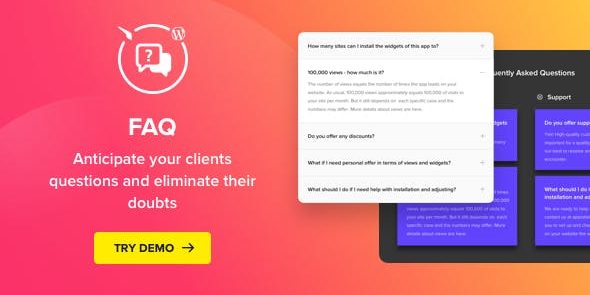
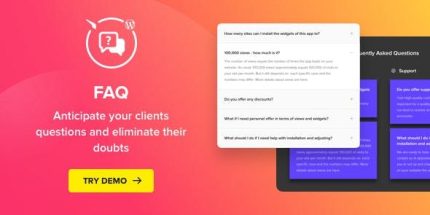
Accordion FAQ is a WordPress FAQ widget that lets you shape and display a concise list of top customer questions with answers. It helps visitors find answers quickly, reducing support time and costs. An easy-to-use, highly customizable design and seamless integration make it the go-to tool for smarter FAQs—give it a try today.
Description
Accordion FAQ is a WordPress FAQ widget plugin designed to present your top customer questions and answers in a clean, expandable accordion format. It solves the problem of long, hard-to-scan FAQ pages by letting visitors quickly find what they need with minimal scrolling. By organizing common inquiries into a concise list, it improves on-page clarity and helps reduce repetitive questions. The widget is customizable so you can match its look and structure to your website’s style.
Whether you manage a blog, a business site, or a WooCommerce storefront, Accordion FAQ makes your information easier to navigate and faster to consume—so users can move from questions to decisions with less friction.
Main Features
- Accordion question layout — Displays FAQs in expandable and collapsible sections for quick scanning.
- Question & answer list — Lets you create a structured set of frequent queries with corresponding answers.
- Concise FAQ presentation — Keeps content compact so visitors can focus on the most relevant entries.
- Customizable widget design — Adjusts visual settings to align the FAQ block with your site’s theme.
- Easy-to-navigate flow — Helps users browse multiple FAQs without jumping between pages.
- WordPress-friendly implementation — Works as a dedicated plugin to add FAQ content to your posts and pages.
- Clear content hierarchy — Organizes answers under distinct questions to improve readability.
- On-page FAQ visibility — Makes key information accessible where visitors already spend time.
Benefits
- Faster answers — Users can find responses immediately, improving overall UX.
- Higher engagement — Accordion browsing encourages visitors to explore more relevant questions.
- Lower repeat inquiries — Clear FAQs reduce unnecessary back-and-forth and speed up issue resolution.
- Better content clarity — Structured Q&A improves comprehension compared to long text blocks.
- Stronger trust signals — Transparent answers make the site feel more helpful and reliable.
Who is it suitable for?
- WooCommerce stores looking to explain products, shipping, and policies.
- Business websites that need an easy FAQ section for visitors.
- Bloggers and content publishers organizing recurring reader questions.
- Agencies managing multiple WordPress client sites with consistent FAQ layouts.
- Online course and membership sites answering common onboarding questions.
- Service providers who want to reduce repetitive inquiries on key pages.